

oracle cloud arm64 ubuntu 24.04 redroid install
목차
개요#
oracle cloud 에서는 arm64 서버를 쉽게 생성할 수 있다.
ubuntu 24.04 arm64 를 생성하여, redroid 를 install 하는 방법을 설명한다. (https://github.com/remote-android/redroid-doc)
도커 설치#
apt update
apt-get install -y apt-transport-https ca-certificates curl software-properties-common
curl -fsSL https://download.docker.com/linux/ubuntu/gpg | sudo gpg --dearmor -o /usr/share/keyrings/docker-archive-keyring.gpg
echo "deb [arch=arm64 signed-by=/usr/share/keyrings/docker-archive-keyring.gpg] https://download.docker.com/linux/ubuntu $(lsb_release -cs) stable" | sudo tee /etc/apt/sources.list.d/docker.list > /dev/null

apt-get update

sudo apt-get install -y docker-ce docker-ce-cli containerd.io docker-compose-plugin

systemctl start docker
systemctl enable docker
80 포트 외부 접속 확인#
docker run -d --restart unless-stopped -p 80:80 traefik/whoamiOS 정보 확인#
cat /etc/os-release

PRETTY_NAME="Ubuntu 24.04.1 LTS"
NAME="Ubuntu"
VERSION_ID="24.04"
VERSION="24.04.1 LTS (Noble Numbat)"
VERSION_CODENAME=noble
ID=ubuntu
ID_LIKE=debian
HOME_URL="https://www.ubuntu.com/"
SUPPORT_URL="https://help.ubuntu.com/"
BUG_REPORT_URL="https://bugs.launchpad.net/ubuntu/"
PRIVACY_POLICY_URL="https://www.ubuntu.com/legal/terms-and-policies/privacy-policy"
UBUNTU_CODENAME=noble
LOGO=ubuntu-logo
adb install#
apt install adbBinderFS 활성화 (binder 모듈 활성화에 꼭 필요함)#
mkdir -p /dev/binderfs
mount -t binder binder /dev/binderfs
ls -l /dev/binderfs
redroid install#
apt install linux-modules-extra-`uname -r`
modprobe binder_linux devices="binder,hwbinder,vndbinder"

modprobe ashmem_linux
(error => modprobe: FATAL: Module ashmem_linux not found in directory /lib/modules/6.8.0-1012-oracle)
https://github.com/remote-android/redroid-doc/issues/647
modprobe ashmem_linux 는 활성화가 안될 것이다. 커널 5.18부터 제거되었다고 한다. 그리고 ashmem_linux 모듈의 경우 선택사항이라고 한다.
redroid start#
docker run -itd --rm --privileged \
    --pull always \
    -v ~/redroid/data-v15:/data \
    -p 5555:5555 \
    redroid/redroid:15.0.0-latest
디바이스 확인#
adb devices

List of devices attached
emulator-5554   device
localhost:5555  device
디바이스 연결 & 확인#
adb connect localhost:5555

adb -s localhost:5555 shell getprop ro.product.cpu.abi
arm64-v8a
scrcpy 접속#
adb connect 10.10.10.10:5555
scrcpy -s 10.10.10.10:5555
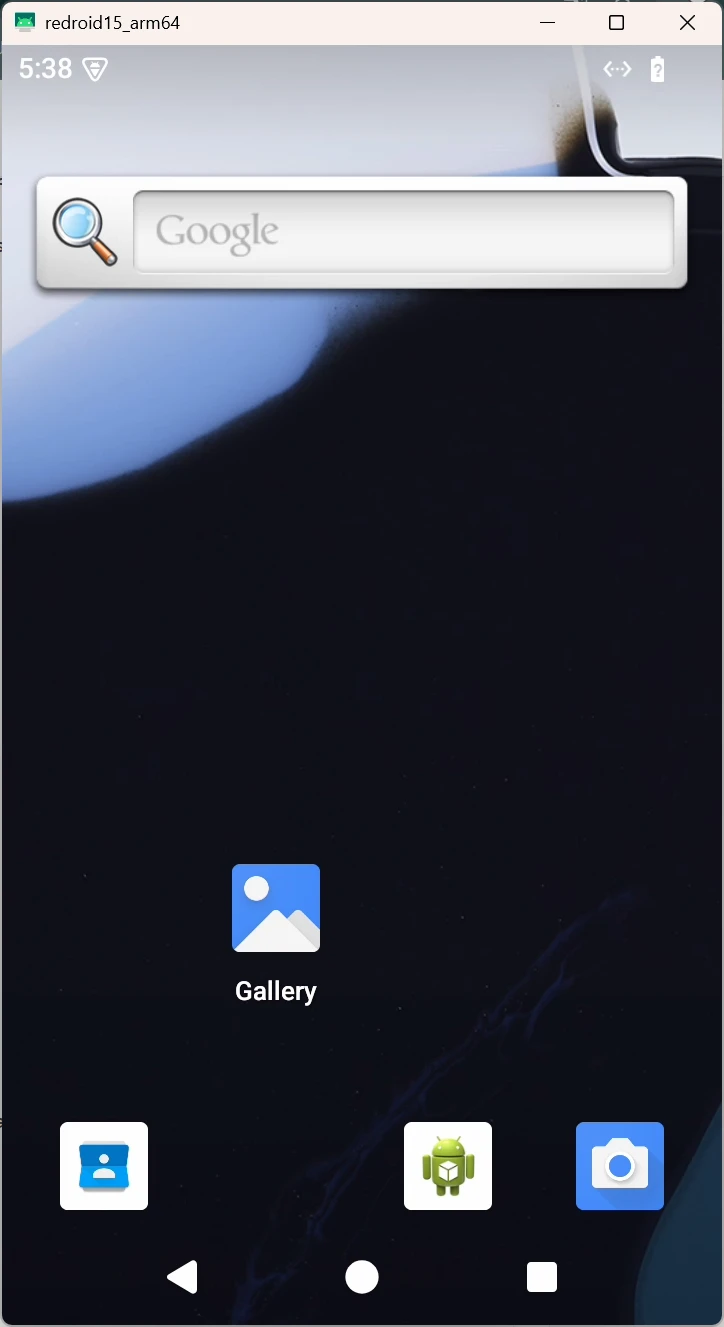
이렇게 하게되면, 설치가 완료되고 도커 이미지로 뜬 redroid 에뮬레이터를 확인 할 수 있다.
나중에 adb 관련된 명령어를 모두 작성해볼까 한다.
binder_linux 관련 디버깅#
dmesg | grep binder혹시... binder_linux, android가 제대로 붙었는지 체크해보려면 해당 명령어로 로그를 볼 수 있다.