
Hermes Agent 설치하기
Hermes Agent 설치 방법은? Hermes Agent는 Openclaw보다 좋다는 평이 있으며, 모델 및 디스코드 봇 설정 후 설치합니다.
GGAMI
Hermes Agent 설치 방법은? Hermes Agent는 Openclaw보다 좋다는 평이 있으며, 모델 및 디스코드 봇 설정 후 설치합니다.
Openclaw 를 사용한다고 해서, 설치할까 하다가... 시간이 없어서 설치를 못하다가.
Hermes Agent 가 더 좋다고 하여, 이거로 설치해봤다.
https://github.com/nousresearch/hermes-agent
hermes model
Response truncated due to output length limit가 출력되는 문제가 있음).env 내용 추가
HERMES_YOLO_MODE=1sudo loginctl enable-linger root디스코드 봇 설정하기
Enable: Bot → Privileged Gateway Intents → Message Content Intent
(사진)
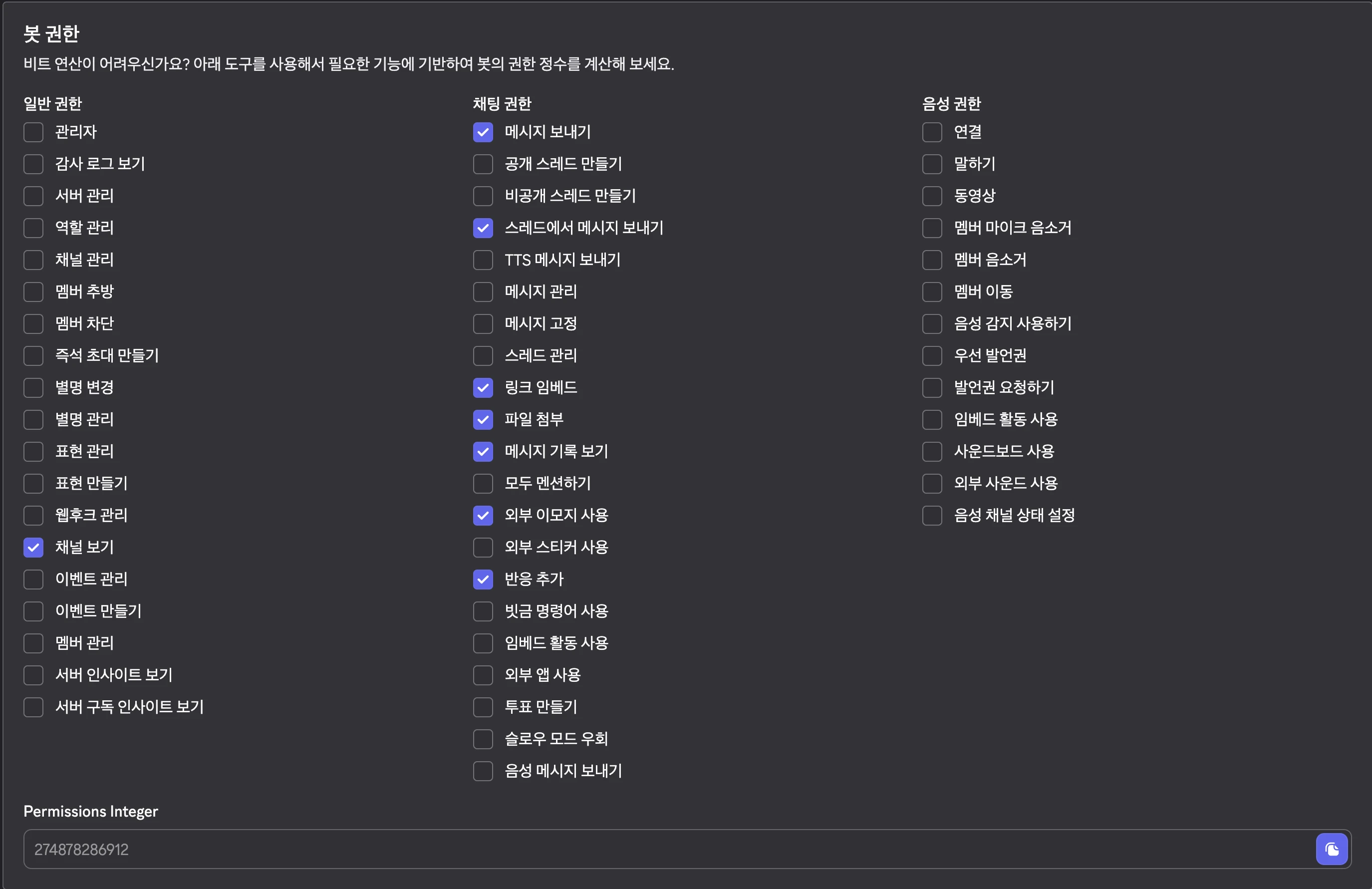
274878286912
https://discord.com/oauth2/authorize?client_id={YOUR_APP_ID}&scope=bot+applications.commands&permissions=274878286912
디스코드 채널에 봇 초대하기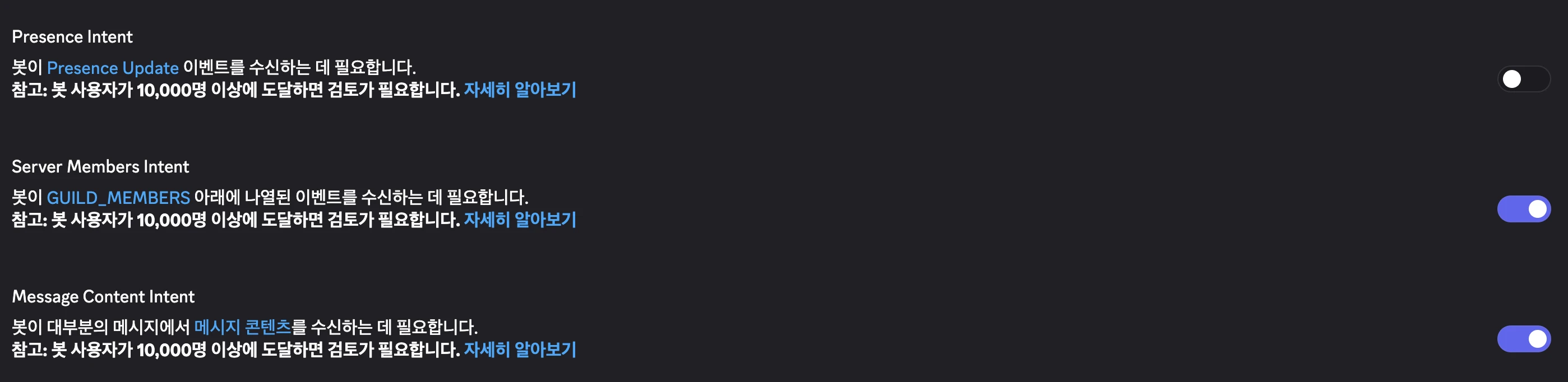
hermes gateway setup
hermes dashboard --host 0.0.0.0 --insecure --no-open
근데 지금 codex-lb 에서는 문제가 있어서, 그냥 codex device 으로 연결해놨다.
잘 작동하고, 스레드에서 매일 최신 트렌드 뉴스를 조사 후 정리해달라고 요청하니, 자동으로 cronjob 에도 등록되었다.
나중에는 honcho 를 self-hosting 으로 설치해서, 연결해볼 예정이다.
이 honcho 를 사용하면 hermes 가 더 똑똑해진다고 한다.
echo 'alias python=python3' >> ~/.zshrc
source ~/.zshrc
python 명령어로 입력하는 경우가 많기 때문에, alias 으로 python 등등 다른 명령어들을 연결해주는게 좋다.