
安装 Hermes Agent
虽然在用 Openclaw,本来想着要不要安装……后来因为没时间就没装。 听说 Hermes Agent 更好,所以就用它试着安装了一下。 安装 https://github.com/nousresearch/hermes-agent 选择模型 选择模型(Custom endpoint) 添加 Codex-lb htt
GGAMI
虽然在用 Openclaw,本来想着要不要安装……后来因为没时间就没装。 听说 Hermes Agent 更好,所以就用它试着安装了一下。 安装 https://github.com/nousresearch/hermes-agent 选择模型 选择模型(Custom endpoint) 添加 Codex-lb htt
虽然在用 Openclaw,本来想着要不要安装……后来因为没时间就没装。
听说 Hermes Agent 更好,所以就用它试着安装了一下。
https://github.com/nousresearch/hermes-agent
hermes model
Response truncated due to output length limit)在 .env 中添加以下内容
HERMES_YOLO_MODE=1sudo loginctl enable-linger root디스코드 봇 설정하기
Enable: Bot → Privileged Gateway Intents → Message Content Intent
(사진)
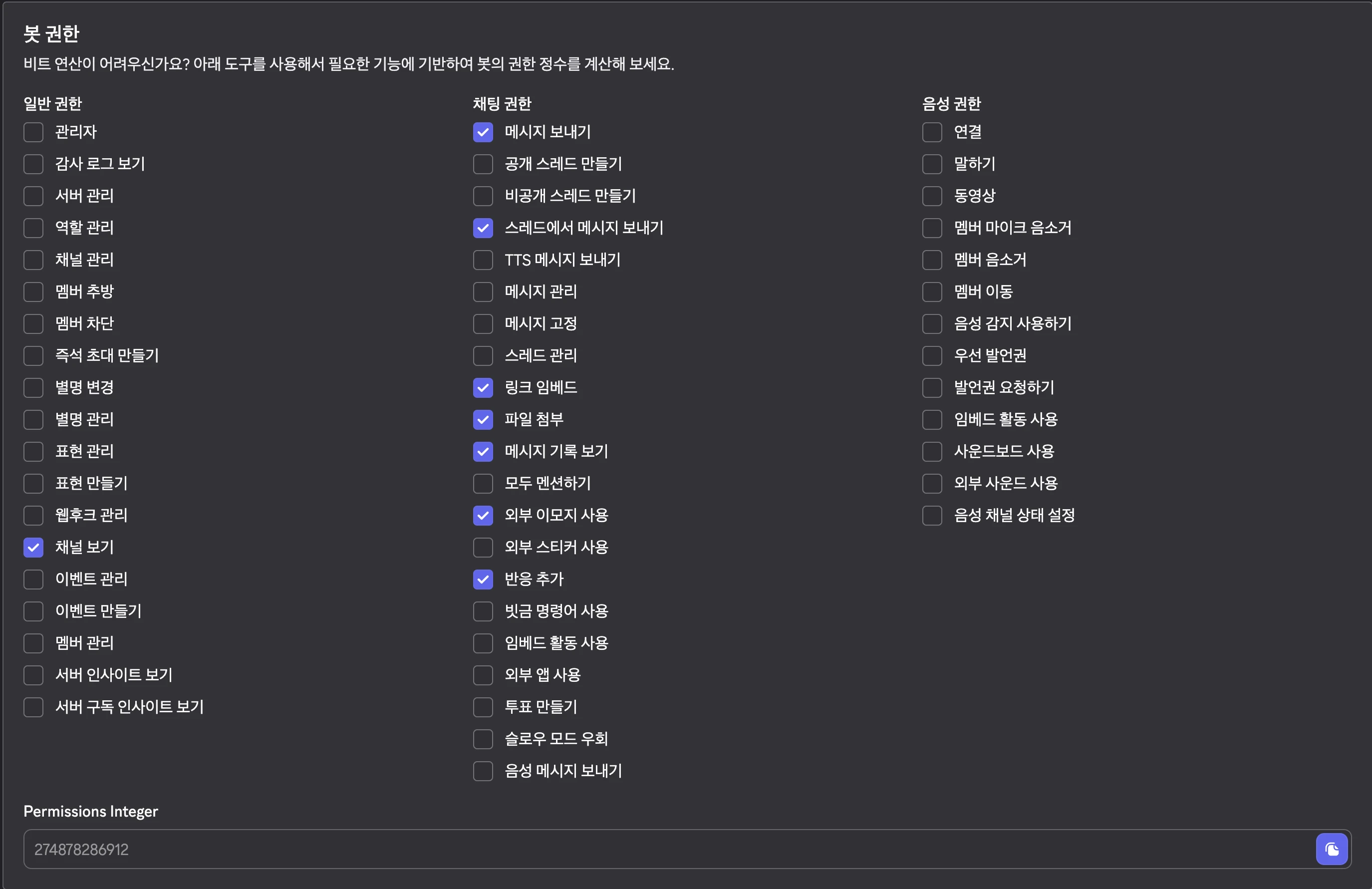
274878286912
https://discord.com/oauth2/authorize?client_id={YOUR_APP_ID}&scope=bot+applications.commands&permissions=274878286912
디스코드 채널에 봇 초대하기
hermes gateway setup
hermes dashboard --host 0.0.0.0 --insecure --no-open
不过现在 codex-lb 有问题,所以我就改用 codex device 连接了。
运行得很好。我在会话线程中请求它每天调查并整理最新的趋势新闻后,它还自动将任务添加到了 cronjob 中。
之后打算以 self-hosting 的方式安装 honcho 并尝试连接。
听说使用这个 honcho 能让 hermes 变得更聪明。
echo 'alias python=python3' >> ~/.zshrc
source ~/.zshrc
因为经常会输入 python 命令,所以最好用 alias 将 python 等其他命令关联起来。