
Using Tinkerwell with PhpStorm and Docker on Windows
<https://beyondco.de/licenses/tinkerwell I bought this recently.\ Why on earth did I pay for this? I just... ended up doing it.... But... setting it up took alm
GGAMI
<https://beyondco.de/licenses/tinkerwell I bought this recently.\ Why on earth did I pay for this? I just... ended up doing it.... But... setting it up took alm
https://beyondco.de/licenses/tinkerwell
I bought this recently.
Why on earth did I pay for this?
I just... ended up doing it....
But... setting it up took almost a whole day...
The documentation isn't great, and there are lots of complaints in the reviews about the lack of explanation and things like that.
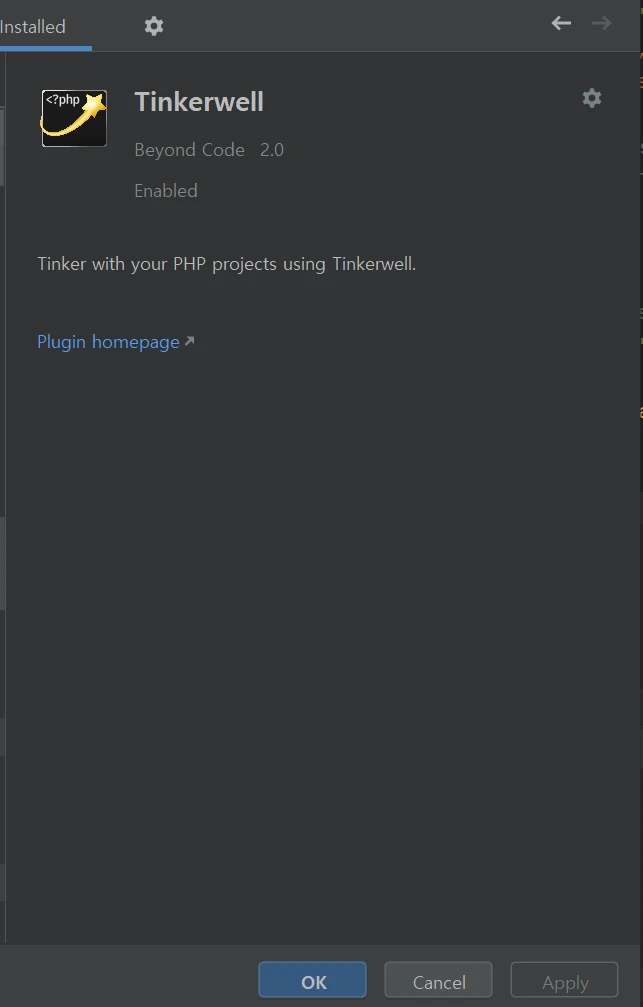
Anyway, I'm writing about how to use Tinkerwell with PhpStorm and Docker in a Windows environment.
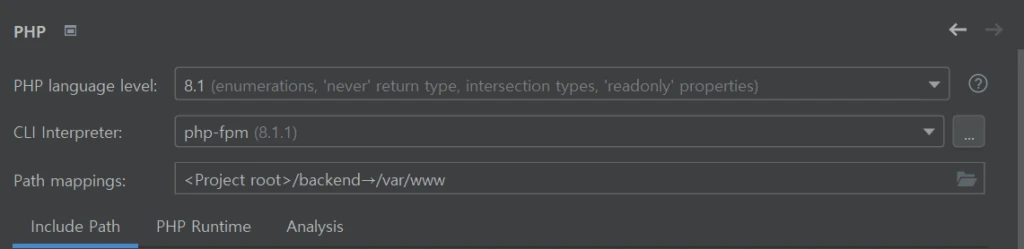
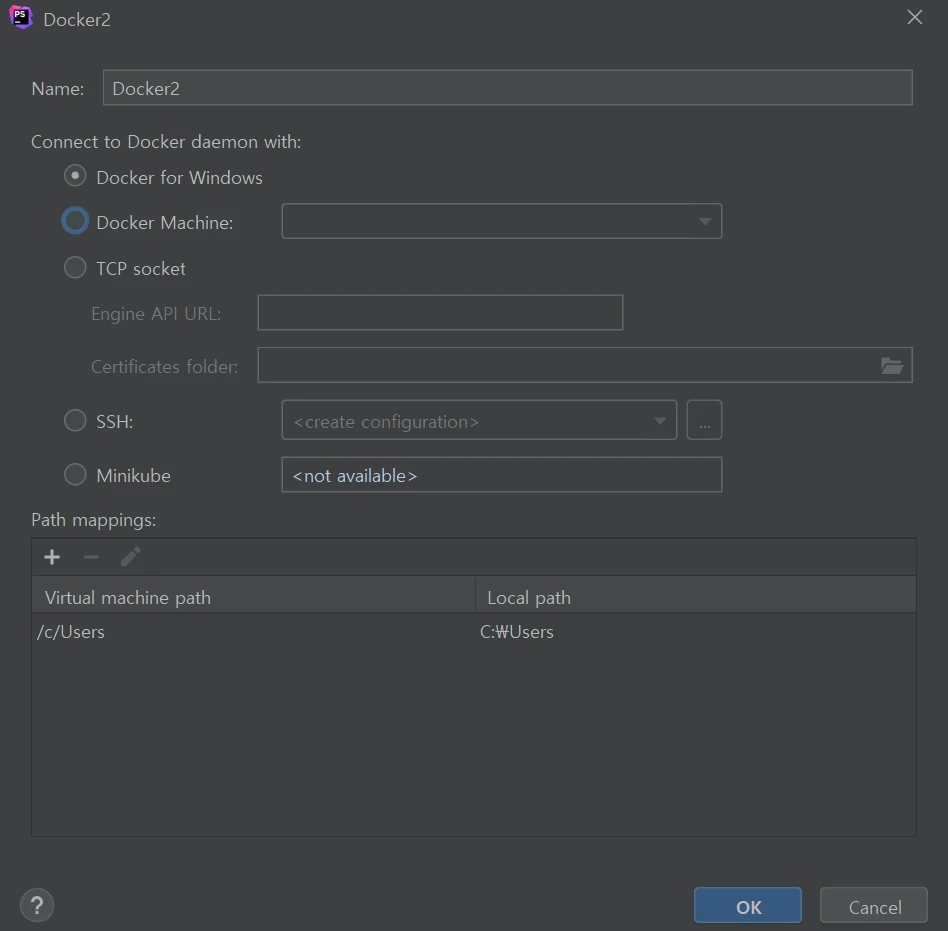

php-fpm.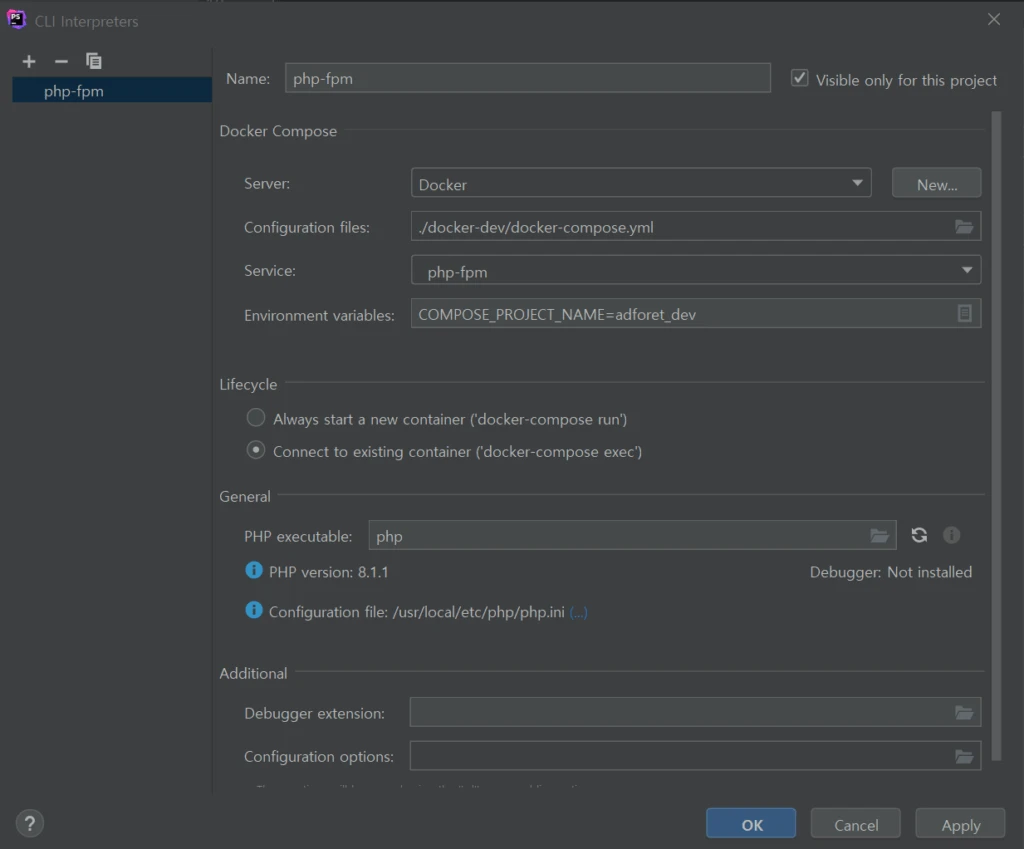
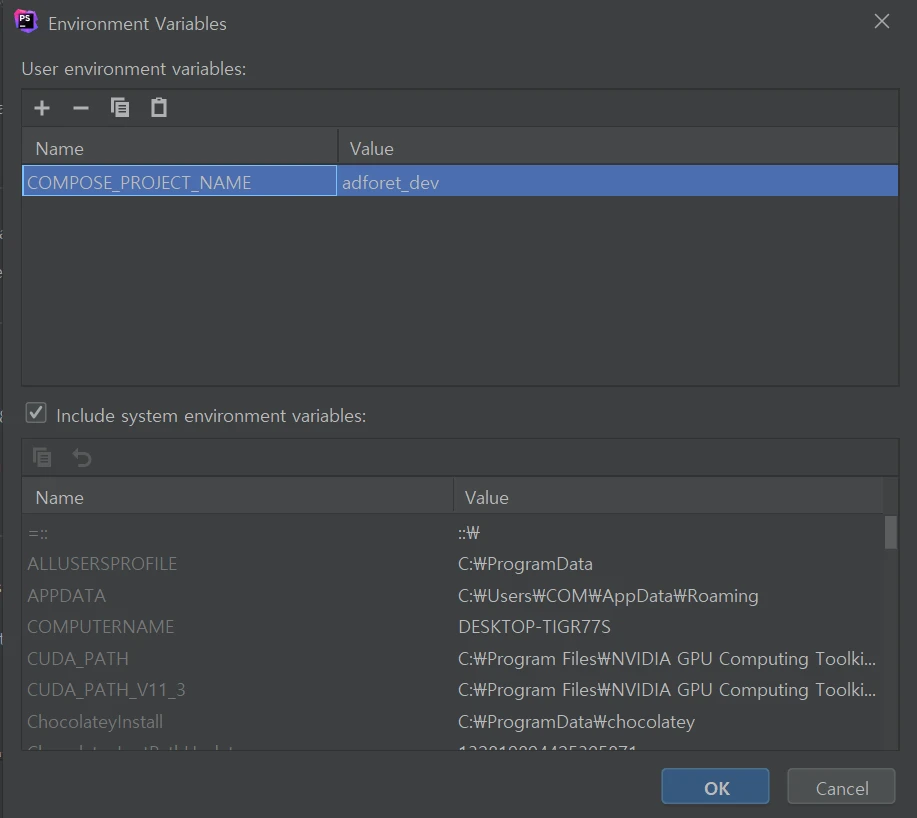
In my case, I manage so many projects with docker-compose that I use the COMPOSE_PROJECT_NAME option in docker-compose!
So you have to add the following to env for it to work!

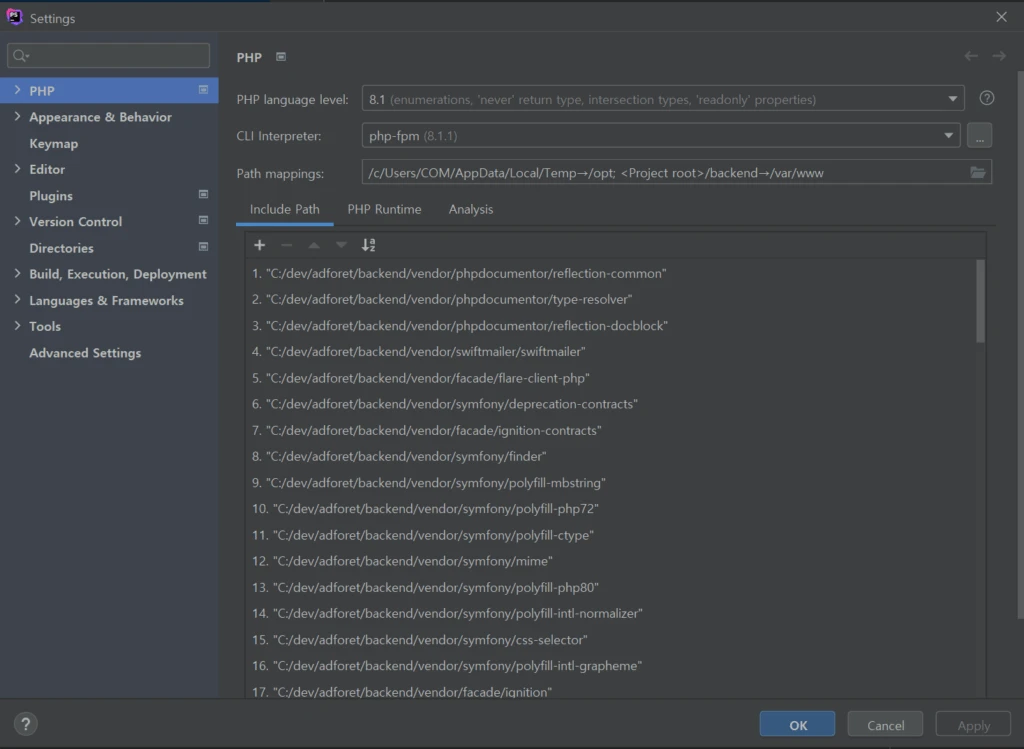
For Path mappings, the paths are automatically taken from the volumes in docker-compose and configured.
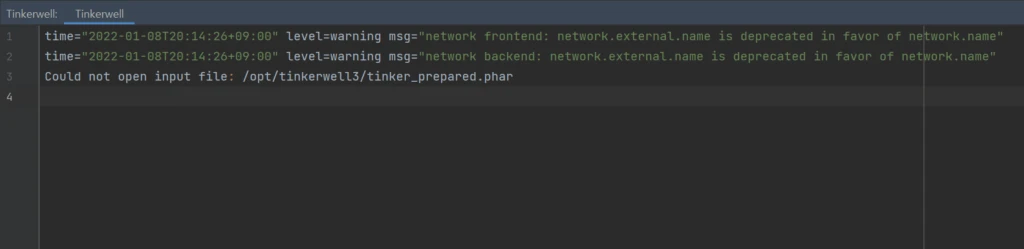
When you run Tinkerwell, you get an error like the one above!
https://github.com/beyondcode/tinkerwell-community/issues/400
Unfortunately, apparently this is how you have to fix it.
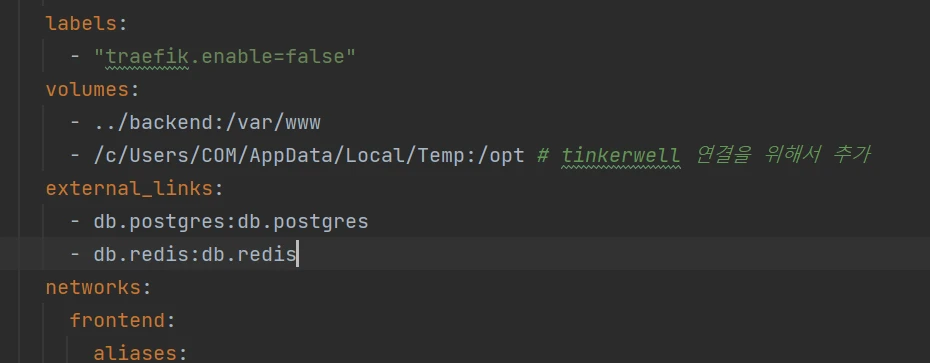
In the volume section of docker-compose,
/c/Users/컴퓨터 사용자 이름/AppData/Local/Temp:/optadd this to mount it at /opt.
After setting it up this way,
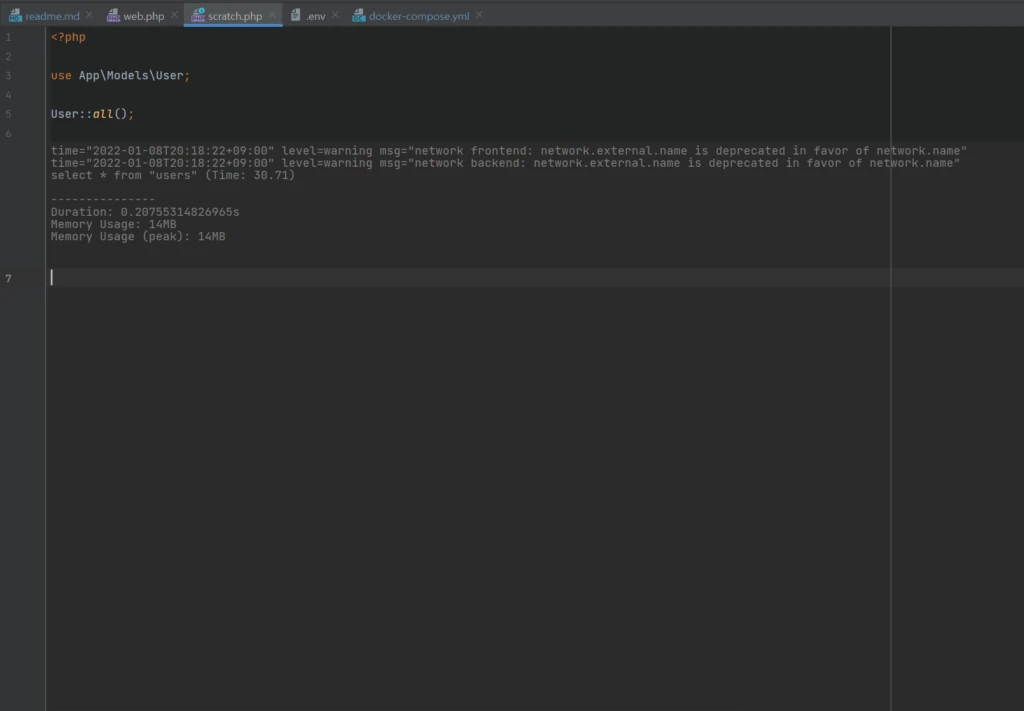

you can get data like this!
I'm not sure how useful this will be, though.
Here's another handy tip:
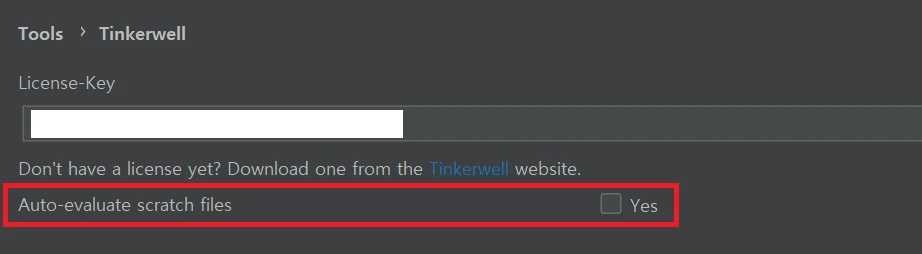
If you uncheck this, it will only be used when you enter a command. Otherwise, it keeps running whenever the contents change, which makes it slow and rather inconvenient.
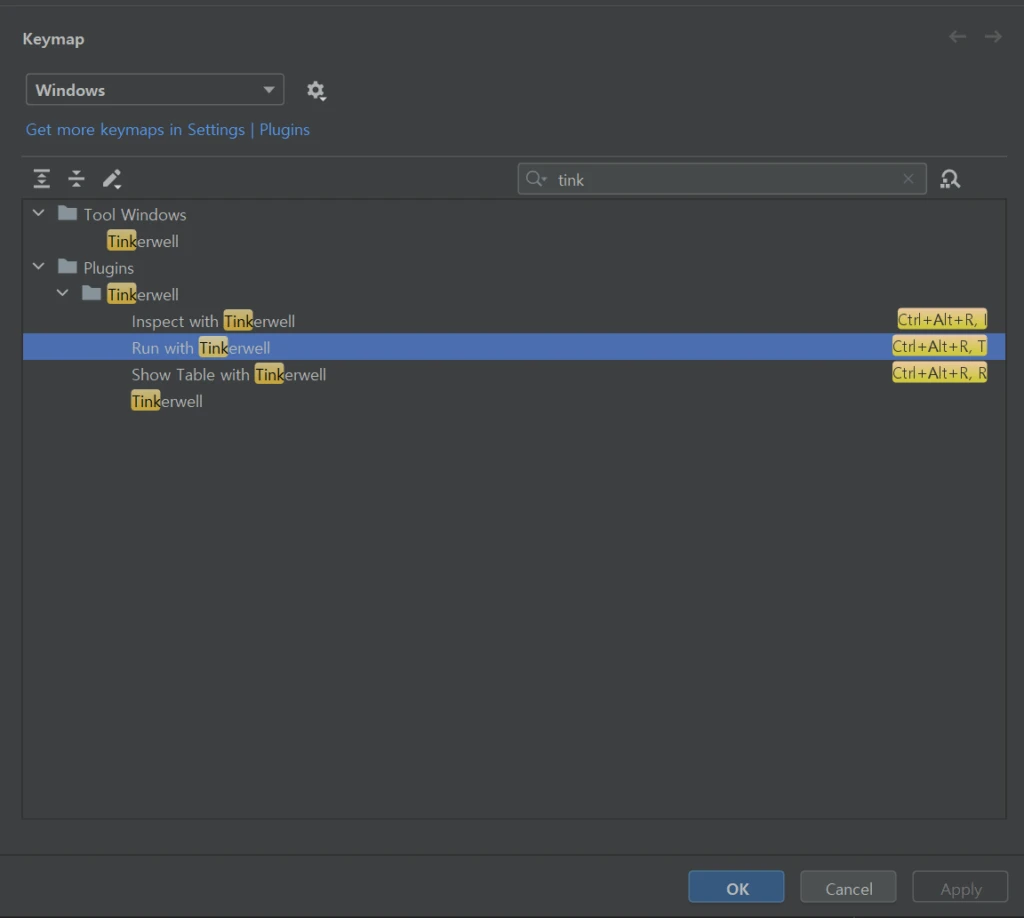
You can set a key, but I just right-click and click it... (I still haven't decided what key would be good.)
Anyway, that's it.