
Things to check when your USB microphone isn't working
Oh no, my USB microphone suddenly stopped being recognized.\ So, I'm sharing how to fix it. How to fix it It's the section shown just above. Lower the Hz settin
GGAMI
Oh no, my USB microphone suddenly stopped being recognized.\ So, I'm sharing how to fix it. How to fix it It's the section shown just above. Lower the Hz settin
Oh no, my USB microphone suddenly stopped being recognized.
So, I'm sharing how to fix it.
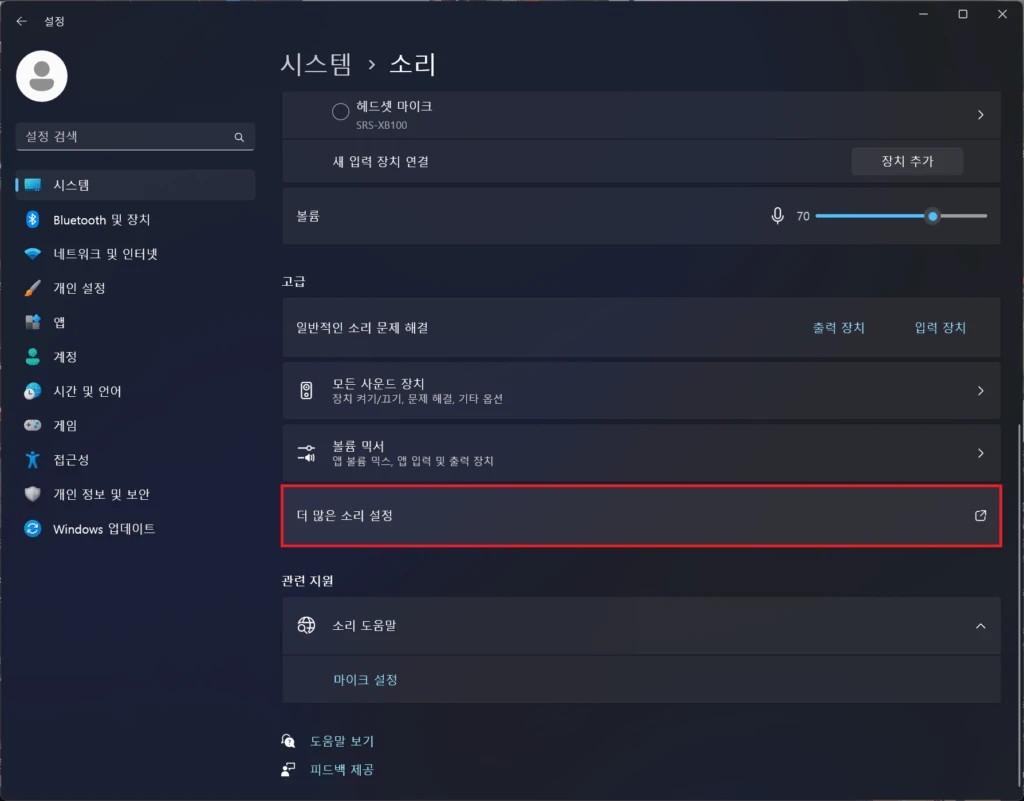
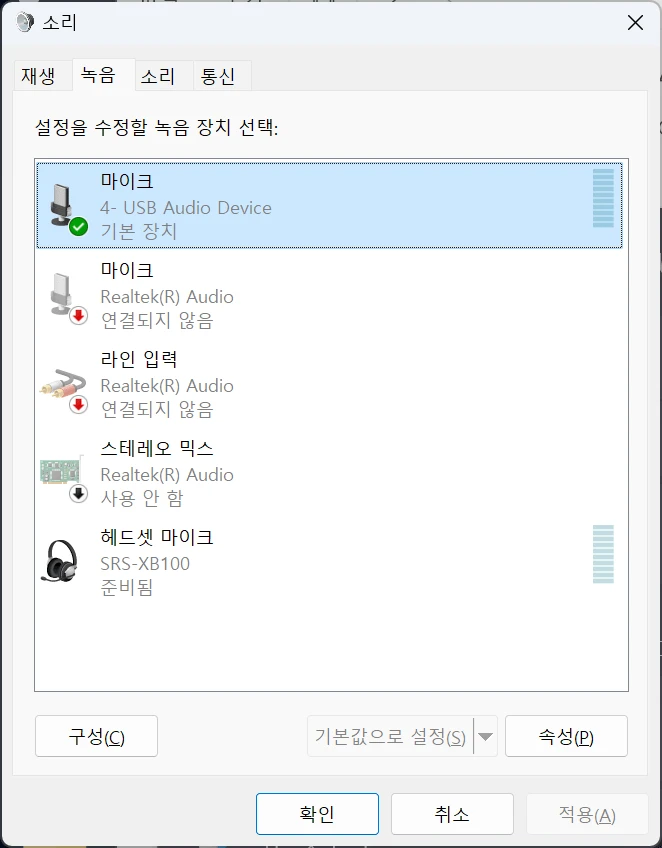
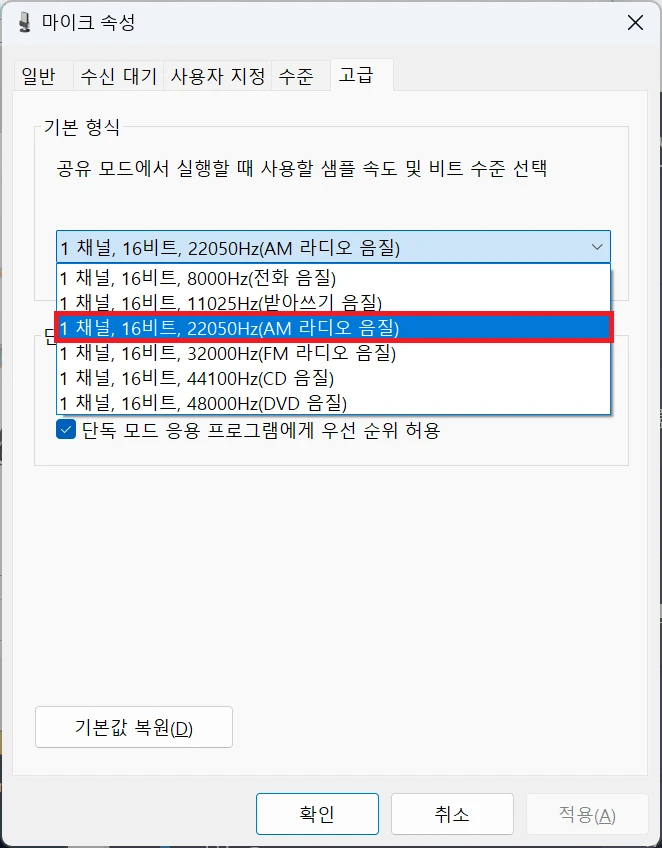
It's the section shown just above. Lower the Hz setting under 고급. In Windows 11, this is automatically set to 48000Hz, but if your microphone doesn't support that frequency, it won't work at that Hz setting.
Find and select a value that works, and your microphone should work normally.

The AGC option should be set to OFF. (That way, keyboard sounds won't be picked up by the microphone.)