
Setting Up Port Forwarding and Hairpin NAT on a MikroTik Router
Ah, I set up port forwarding on a MikroTik Router, and strangely, it worked fine when I accessed it from outside using a domain name or IP address, but I ran in
GGAMI
Ah, I set up port forwarding on a MikroTik Router, and strangely, it worked fine when I accessed it from outside using a domain name or IP address, but I ran in
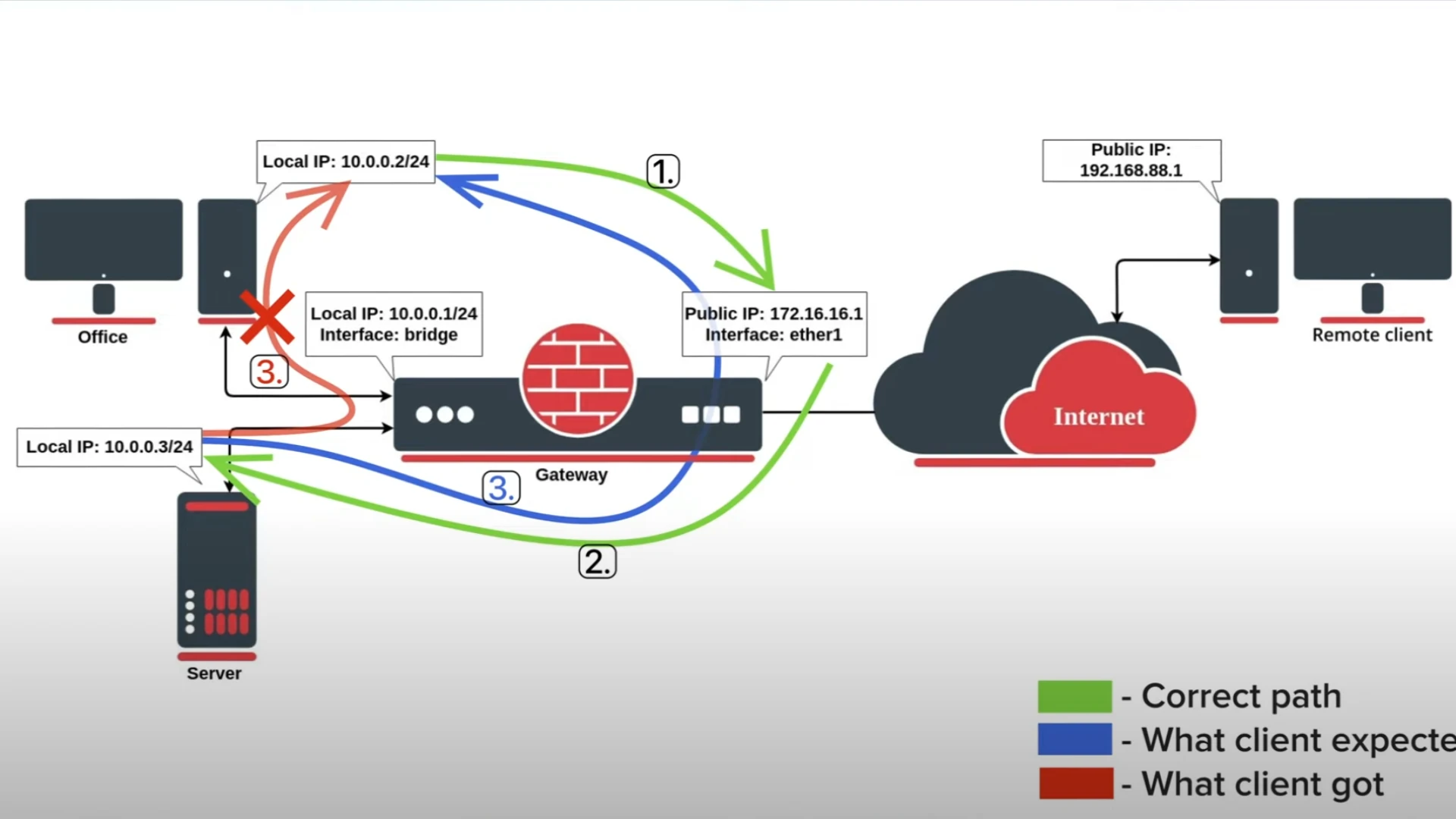
Ah, I set up port forwarding on a MikroTik Router, and strangely, it worked fine when I accessed it from outside using a domain name or IP address, but I ran into a problem when trying to access it from inside using a domain name or IP address.
It seems the connection gets lost because the IP address that responds is different from the IP address that was requested.
https://forum.mikrotik.com/viewtopic.php?t=172380
https://www.youtube.com/watch?v=1I5FywY6opQ
https://www.youtube.com/watch?v=daGs-P-ROj4
There are posts and various YouTube videos about this,
but even after following them, it often didn't work. Of course, it could be that my settings were wrong,
but registering the external IP itself means having to update it every time the IP changes, which is quite a hassle.
So I'm sharing the method I found after searching.
Do not use the method I described previously.
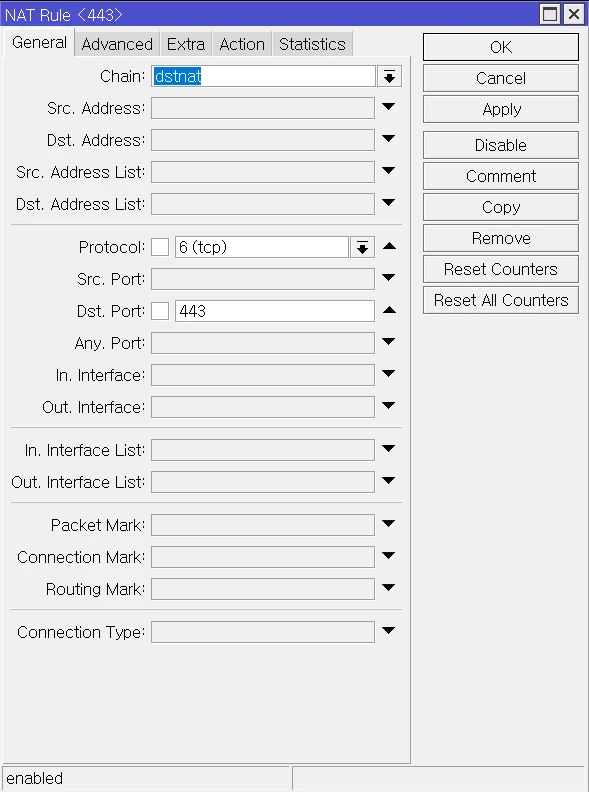

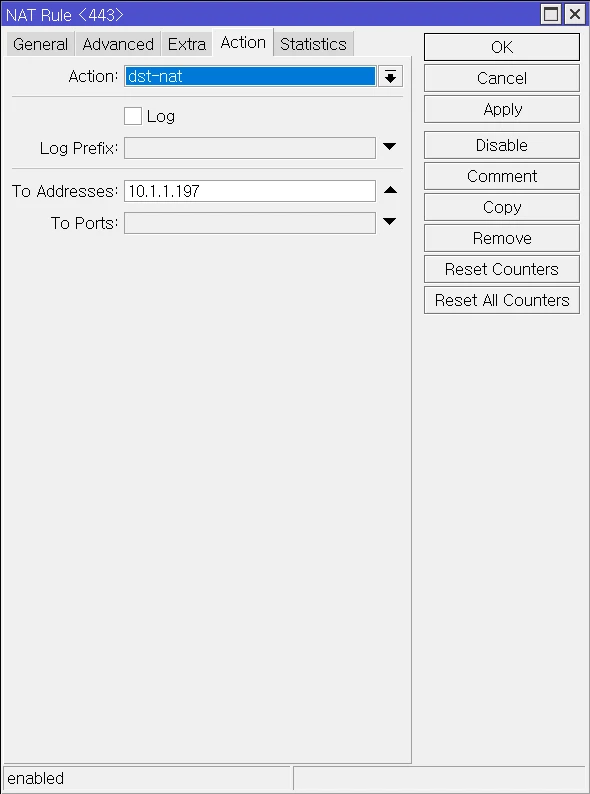
local.Those are the two differences.
I'm not sure why, but port forwarding works fine this way, and you can access it from outside without any problems.
In fact, at this point, you don't even need to configure Hairpin NAT.
Even so, just in case, let's add a Hairpin NAT configuration.

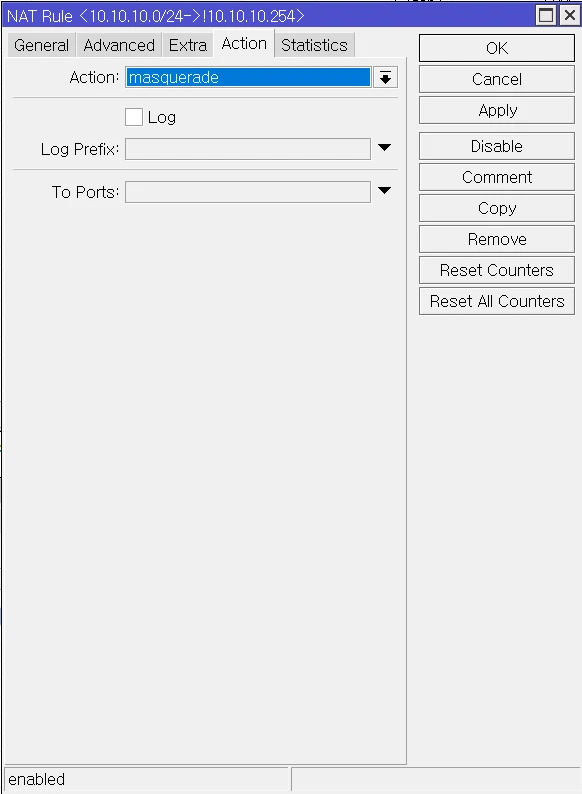
For Src. Address, enter the IP address range.
For Dst. Address, enter the gateway.
(However, you need to enable Not (!) in front of it, meaning when it is not 10.10.10.254.)
Enter those values.
This is supposed to configure Hairpin NAT.
Now, when setting up port forwarding, forget the previous settings and configure it only as described here.
Ah... this is also extremely important!! I hadn't allowed UDP, so nothing that required UDP communication was working, including Discord voice channels and other things...
I spent a lot of time trying to find this, but I couldn't figure out the cause, so I couldn't configure it. I spotted the UDP issue in the logs recorded during Traefik DNS domain HTTPS authentication and fixed it.
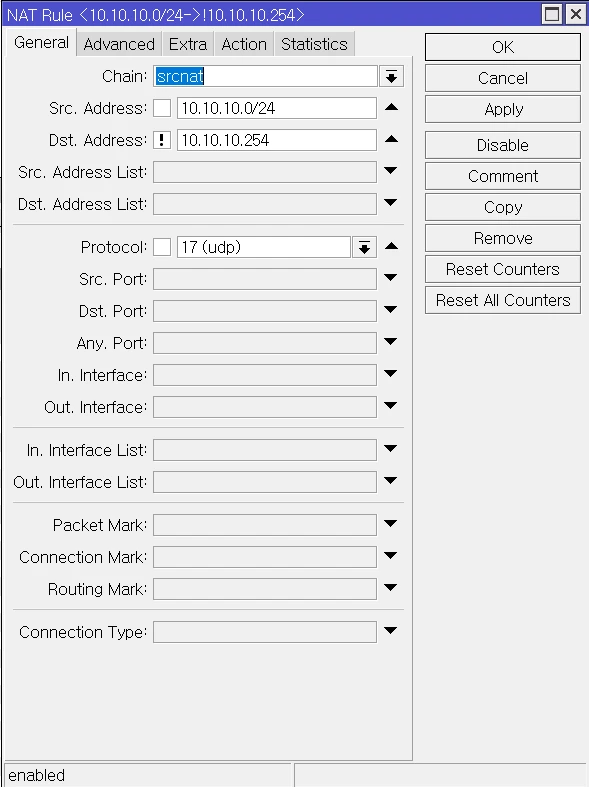
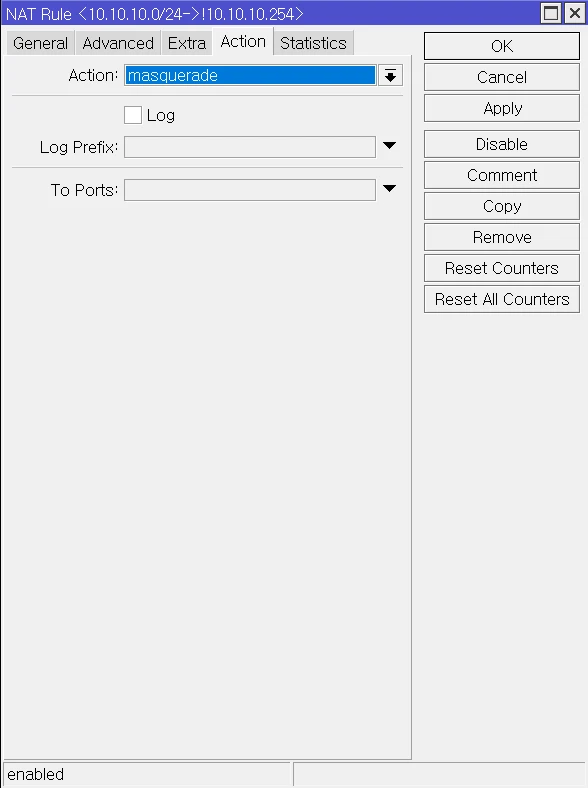
It's very simple: just add UDP too, as you did for the TCP Hairpin above. That's it.