
Changing the Ethernet MAC Address of a MikroTik Router Interface
When You Need to Change the MAC Address There are times when you need to change the MAC address on a router. This is needed when the ISP has placed a limit on i
GGAMI
When You Need to Change the MAC Address There are times when you need to change the MAC address on a router. This is needed when the ISP has placed a limit on i
Contents
There are times when you need to change the MAC address on a router.
This is needed when the ISP has placed a limit on internet usage.
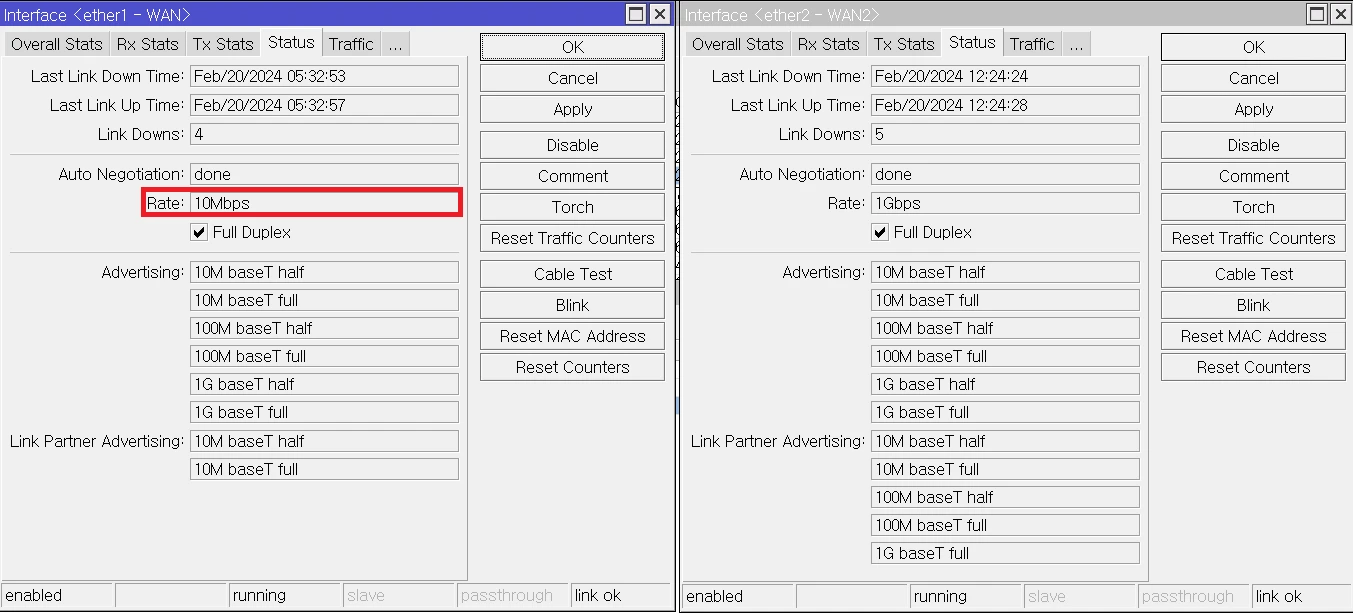
However, I found that the rate seems to return even if you just reset it without changing the MAC address, but to be sure, it seems best to change the MAC address.
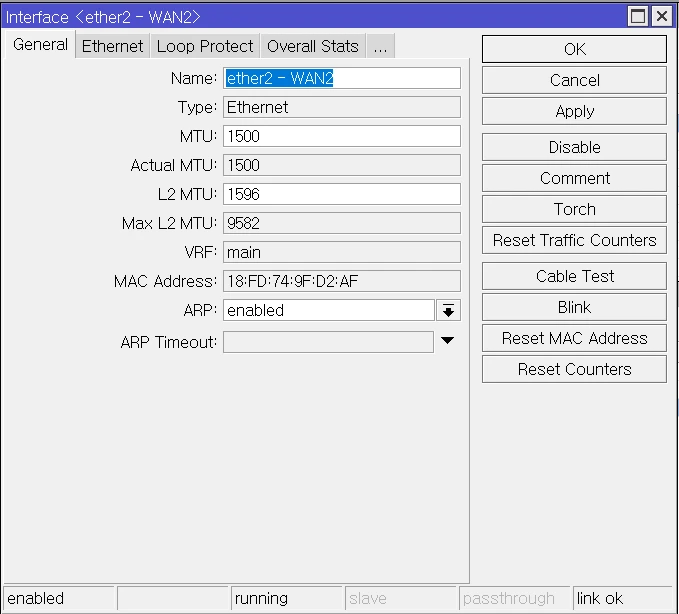
# 인터페이스 확인
/interface print
# 인터페이스 맥 주소 변경하기
/interface ether set "ether2 - WAN2" mac-address=18:FD:74:9F:D2:AF
# 인터페이스 하드웨어 디바이스 default 맥 주소로 되돌리기
/interface ether reset-mac-address "ether2 - WAN2"
Simply enter the 인터페이스 맥 주소 변경하기 command, and the MAC address will change
and a new IP address will be assigned.
It seems the bandwidth comes back if you simply set ether1 - WAN1 to Disable and then to Enable.