
RockyLinux 9 Installation, Formatting a Server Computer
Clean up the disks before formatting Check folder sizes ncdu Check disk information lsblk lsblk f Optimize SSDs fstrim v / fstrim v /db Format the disks hdd ext
GGAMI
Clean up the disks before formatting Check folder sizes ncdu Check disk information lsblk lsblk f Optimize SSDs fstrim v / fstrim v /db Format the disks hdd ext
Contents
First, check the disk ID values. fdisk -l
umount /dev/sda wipefs -a /dev/sda mkfs -t ext4 -F /dev/sda
umount /dev/nvme1n1 wipefs -a /dev/nvme1n1 mkfs -t xfs -f /dev/nvme1n1
fuser -m /dev/nvme1n1p1 Enter the command above to check whether it is in use.
/dev/nvme1n1: 4975c 5431 5522c 5911 6212c 6834c 6901c 6908c 7125c 7820c 7857c 7858c 7861c 7862c 7863c 8524c 8526c 8527c 8579c 8580c 8582c 2351932c 2351998c 2352089cIf it is in use, you need to stop the processes that are using it.
It feels like it's been a long time since I last used a Linux GUI, and it seems much friendlier and easier to use than before... It used to be really complicated and difficult, even just to install it... Anyway, here's what to do after installation.
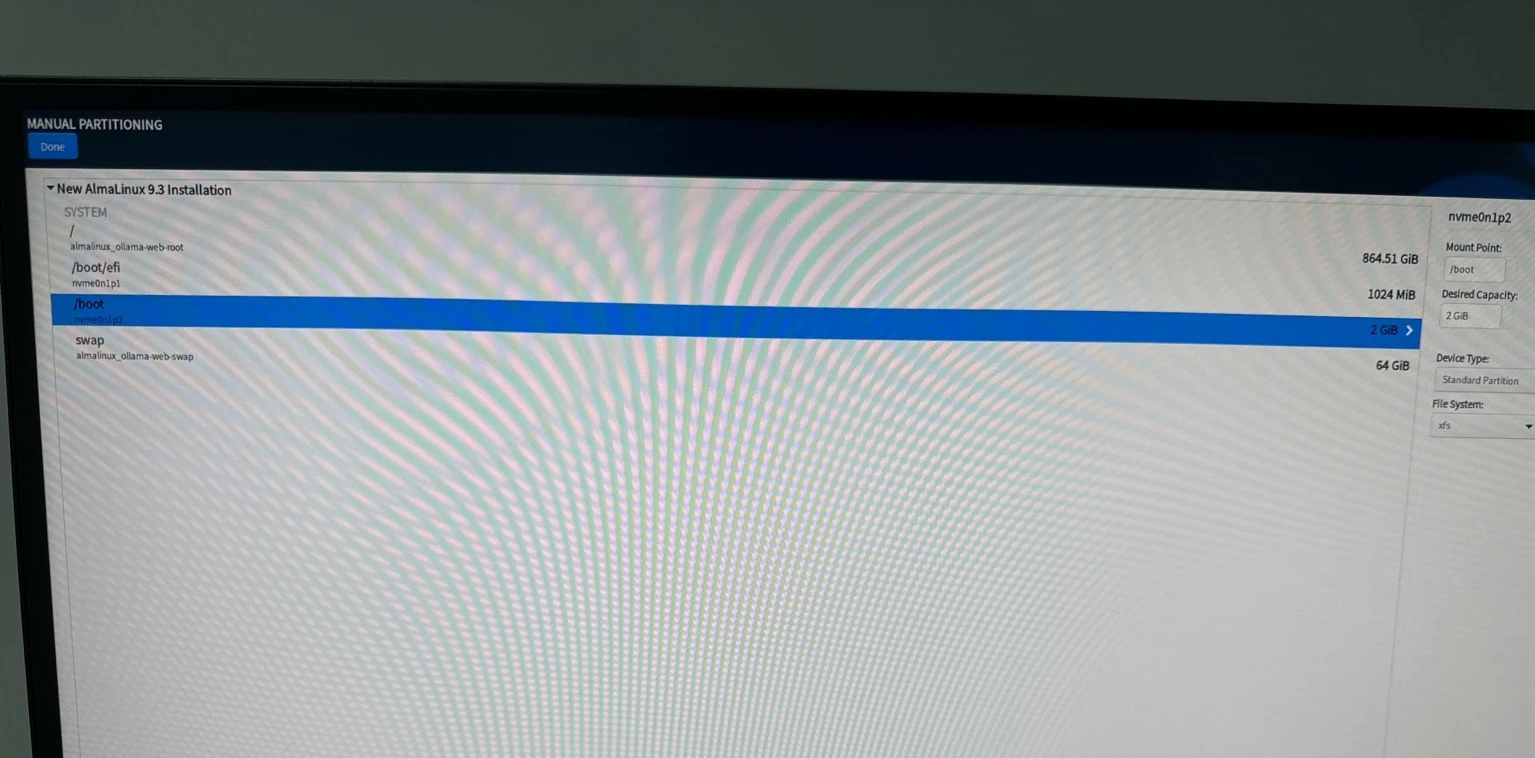 (Found an issue where uploads larger than 2 MB don't work in frankenphp, https://github.com/dunglas/frankenphp/pull/122)
Port 22960
systemctl restart sshd

dnf install policycoreutils-python-utils
semanage port -a -t ssh_port_t -p tcp 22960

systemctl restart sshd
SELinux security prevents it from working, and I wonder why the command isn't installed by default. Install the package above and register the port.
After that, you still won't be able to connect, because of firewalld. I'm going to disable firewalld, because opening ports one by one is just too much hassle.
systemctl disable firewalldNow, remote access through WinSCP and PuTTY is possible.
dnf install dnf-plugins-core dnf install epel-release dnf config-manager --set-enabled crb
dnf install vim htop net-tools iputils dnsutils curl wget rsync lsof ncdu which tcpdump unzip lsscsi bash-completion lm_sensors

sensors-detectdnf upgradehostnamectl
Static hostname: (unset)
Transient hostname: server.local
Icon name: computer-desktop
Chassis: desktop 🖥️
Machine ID: ef0aec2ff5ac4a399deb6993fbf760d8
Boot ID: 03c2689afcbe4827b41241c7b8570fc1
Operating System: Rocky Linux 9.3 (Blue Onyx)
CPE OS Name: cpe:/o:rocky:rocky:9::baseos
Kernel: Linux 5.14.0-362.8.1.el9_3.x86_64
Architecture: x86-64
Hardware Vendor: ASUS
Hardware Model: ROG ZENITH II EXTREME ALPHA
Firmware Version: 1802(https://docs.nvidia.com/cuda/cuda-installation-guide-linux/index.html#rhel-9-rocky-9) => (https://github.com/NVIDIA/gds-nvidia-fs/issues/34)
Do not install it by following the instructions at the first link... It results in the error nvidia_fs: module using GPL-only symbols uses symbols from proprietary module nvidia.
If you've already installed it, remove it by following the instructions at https://docs.nvidia.com/cuda/cuda-installation-guide-linux/index.html#removing-cuda-toolkit-and-driver.
Then install it by following the instructions at https://docs.nvidia.com/cuda/cuda-installation-guide-linux/index.html#nvidia-open-gpu-kernel-modules.
dnf install tar bzip2 wget make automake gcc gcc-c++ pciutils elfutils-libelf-devel libglvnd-devel bind-utils kernel-headers kernel-devel freeglut-devel libX11-devel libXi-devel libXmu-devel mesa-libGLU-devel freeimage-devel glfw-devel

lspci | grep VGA

dnf module install nvidia-driver:open-dkms

reboot

nvidia-smi

nvidia-smi nvlink --status
Here, enable NVIDIA Persistence Mode.
systemctl enable nvidia-persistenced
systemctl start nvidia-persistenced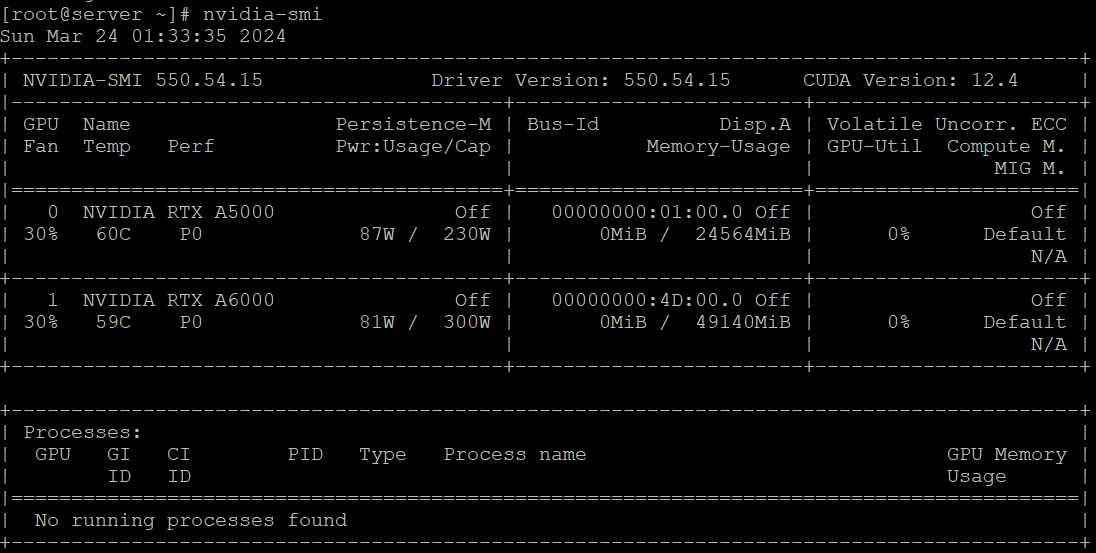
The additional HDD and SSD also need to be mounted.
lsblk -f
fdisk -l /dev/nvme1n1
Create the directories
mkdir /db
mkdir /data
Mount the disks in the directories
mount /dev/nvme1n1 /db
mount /dev/sda /data

lsblk -f
If that doesn't work due to an error, format the disks using the commands below.
wipefs -a /dev/sda mkfs -t ext4 -F /dev/sda
wipefs -a /dev/nvme1n1 mkfs -t xfs -f /dev/nvme1n1
lsblk -f

NAME               FSTYPE      FSVER    LABEL UUID                                   FSAVAIL FSUSE% MOUNTPOINTS
sda                ext4        1.0            b1f8274b-8367-46a3-af7a-9cc6415cebf8      8.6T     0% /data
nvme1n1            xfs                        62a1faab-d641-4bc3-bacf-627f1f291c71      922G     1% /db
nvme0n1
├─nvme0n1p1        vfat        FAT32          5329-2977                                1015M     1% /boot/efi
├─nvme0n1p2        xfs                        ae7ca155-3a8a-47c8-b971-bcf22da8ac65      1.7G    13% /boot
└─nvme0n1p3        LVM2_member LVM2 001       4SPRzM-DWfn-6ZPo-R7Zf-el9R-pgEX-2bnONK
  ├─rl_server-root xfs                        3c26352e-d02e-4797-acb5-4336ba5d1548    853.3G     1% /
└─rl_server-swap swap 1 96c61fbd-649d-4dec-8a85-c866fff175d3 [SWAP]# auto-mount > 추가 설정
UUID=62a1faab-d641-4bc3-bacf-627f1f291c71 /db xfs defaults 0 0
UUID=b1f8274b-8367-46a3-af7a-9cc6415cebf8 /data ext4 defaults 0 0After rebooting, use the commands below to check that automatic mounting was applied correctly.
reboot

lsblk -f0 0 * * * /bin/sync && echo 1 > /proc/sys/vm/drop_cachesnet.core.netdev_max_backlog=4096
net.core.somaxconn=65535
net.core.rmem_max=3145728
net.core.wmem_max=3145728dnf erase podman buildah
dnf update
dnf config-manager --add-repo https://download.docker.com/linux/rhel/docker-ce.repo
dnf -y install docker-ce docker-ce-cli containerd.io docker-compose-plugin
systemctl --now enable docker
docker compose version
docker --version
docker network create frontend
docker network create backendcurl -s -L https://nvidia.github.io/libnvidia-container/stable/rpm/nvidia-container-toolkit.repo | \
sudo tee /etc/yum.repos.d/nvidia-container-toolkit.repo
dnf config-manager --set-enabled nvidia-container-toolkit-experimental
dnf install -y nvidia-container-toolkit
nvidia-ctk runtime configure --runtime=docker
systemctl restart docker
rebootI think this is the first time I've formatted a Linux server in about 9–10 years, since installing CentOS. Linux servers usually don't need to be formatted very often once they've been set up, but I heard that update support for AlmaLinux 8 will end in May 2024. Of course, security updates will continue, but I thought it was time to upgrade. It's certainly possible to upgrade without formatting, but the system was quite old, and it also had iptables settings that were configured before I started using Docker. I just thought it would be better to format it once, so I finally went ahead and did it.
Backing up data is always essential!! But I'm always afraid something will go wrong with the data whenever I format a system.
Anyway, I just need to restore the rest of the data from backup and start the service server.
Whew~ I initially installed AlmaLinux, but when the NVIDIA driver wouldn't install, I switched to RockyLinux and installed that instead. (Actually, the issue wasn't caused by AlmaLinux.)
Sigh, I guess from now on I'll just install and use Rocky instead of Alma..
It took almost 12 hours to finish formatting the Linux server computer.... Whew, as expected, it was exhausting..