
Using a Python Interpreter in PyCharm
I've been using Python while studying AI, and I'm trying it out in PyCharm. But there's an issue with the editor, For Node.js, the interpreter connects properly
GGAMI
I've been using Python while studying AI, and I'm trying it out in PyCharm. But there's an issue with the editor, For Node.js, the interpreter connects properly
Contents
I've been using Python while studying AI, and I'm trying it out in PyCharm.
But there's an issue with the editor,
For Node.js, the interpreter connects properly because node_modules is available.
Python, on the other hand, can come in more versions than you'd expect: 2.7, 3.1
And the package versions installed for each of these versions are all different, too...
So most developers install pyenv and use it.
But anyway, rather than installing pyenv and making things complicated, I wanted to develop using Docker, so I searched and found
something called Python Interpreter, and I'm sharing the installation process.
 - test.py
docker
 - python
   - Dockerfile (1)
 - .env => `COMPOSE_PROJECT_NAME=cat-study`
 - docker-compose.yml (2)
- docker-compose-interpreter.yml (3)It is organized as follows.
FROM python:3.10-slim AS base

WORKDIR /app

FROM base AS dev

ENV PYTHONUNBUFFERED=1

CMD ["tail", "-f", "/dev/null"]

FROM base AS interpreter

ENTRYPOINT ["python"]services:
python:
image: python
build:
context: python/
dockerfile: Dockerfile
target: dev
environment:
- ENV=local
labels:
- "traefik.enable=false"
volumes:
- ../app:/app:delegated
- python-packages:/usr/local/lib/python3.10/site-packages
networks:
frontend:
backend:
volumes:
python-packages:
name: python-packages-cat-study
networks:
frontend:
external: true
backend:
external: trueservices:
python-interpreter:
extends:
file: docker-compose.yml
service: python
image: python-interpreter
build:
target: interpreter
volumes:
python-packages:
name: python-packages-cat-study
external: true
networks:
frontend:
external: true
backend:
external: trueI used target in the Dockerfile to separate it into a dev version and an interpreter version.
I set the volumes Name to python-packages-cat-study to keep the Python package folder used by each project's interpreter separate.
The volumes for dev and the interpreter point to the same place, so packages are shared even when you run pip install in dev.
I actually wanted to handle it in a single Docker container for development, without splitting docker-compose.yml out for the interpreter, but apparently you have to install SSH to do that.
(ENTRYPOINT ["python"]) This part also makes it seem difficult.
I also feel like that might be inconvenient when working on several Python projects...
Or am I wrong...? Maybe that would be more convenient...?
I should give it a try...
I tried, but since it uses SSH, I have to open an external port, and there are more hassles than I expected. I ended up changing the existing setup completely, though.
docker-compose-interpreter.yml ended up being merged into the same docker folder.
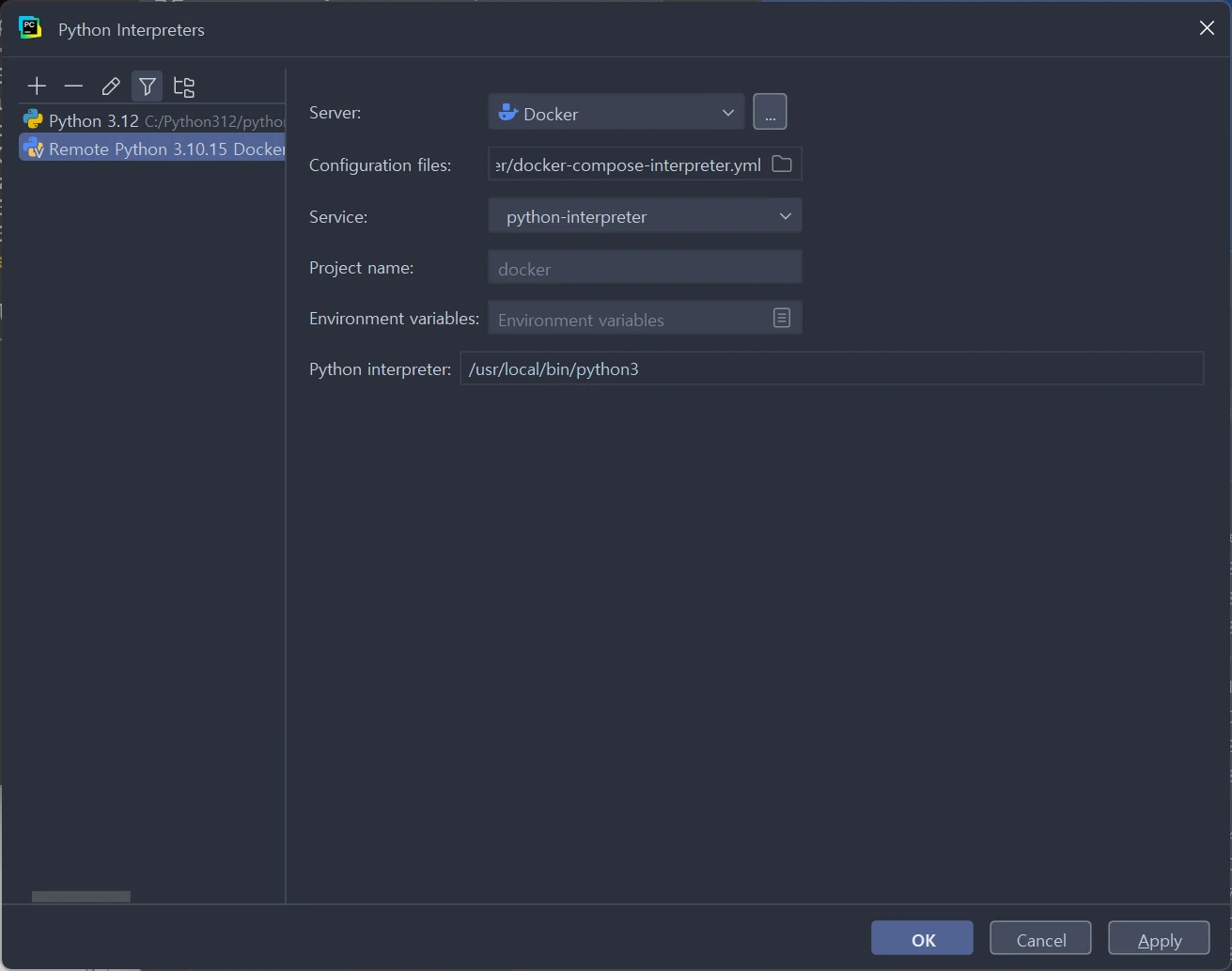
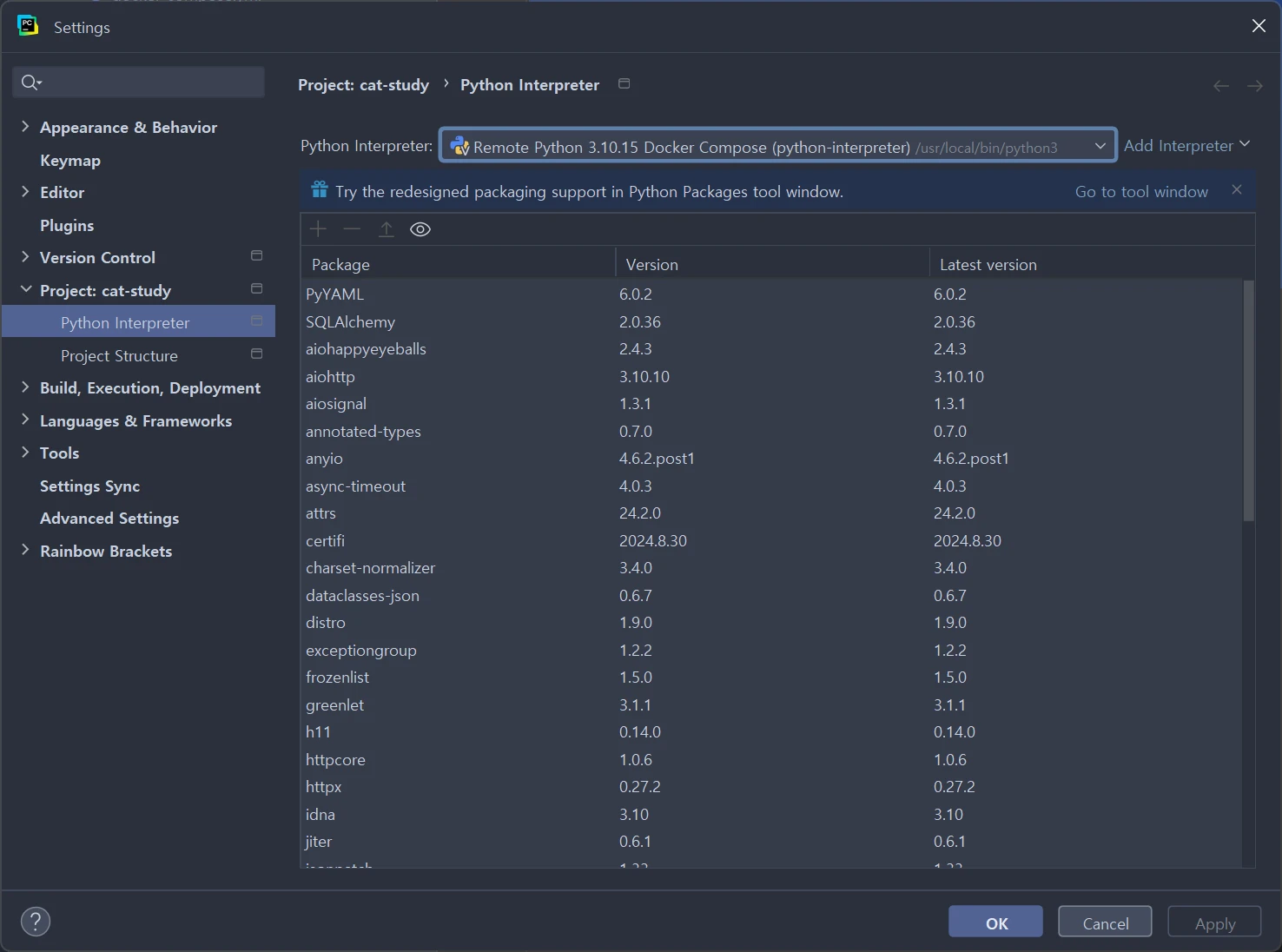
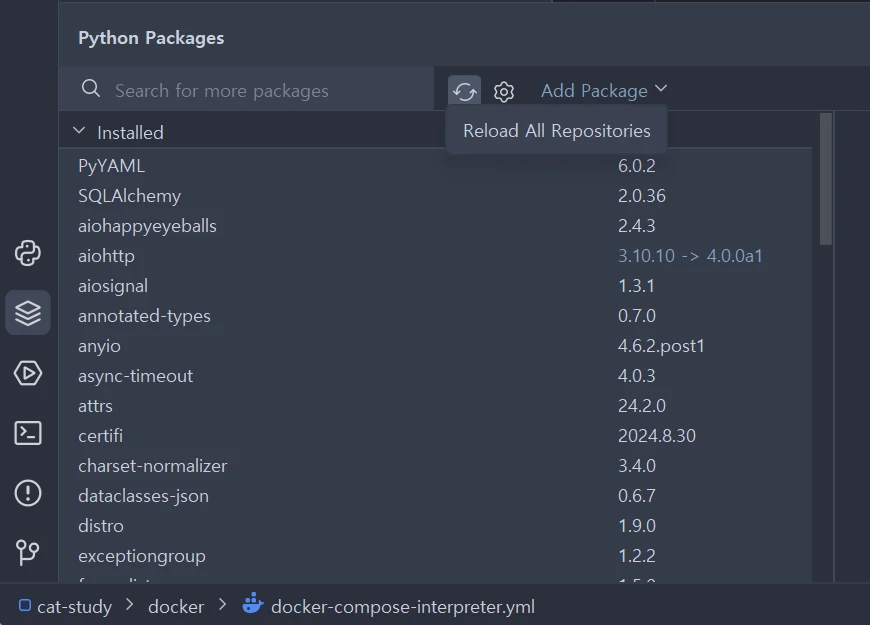
After installing a package, to sync the packages, run Reload All Repositories and
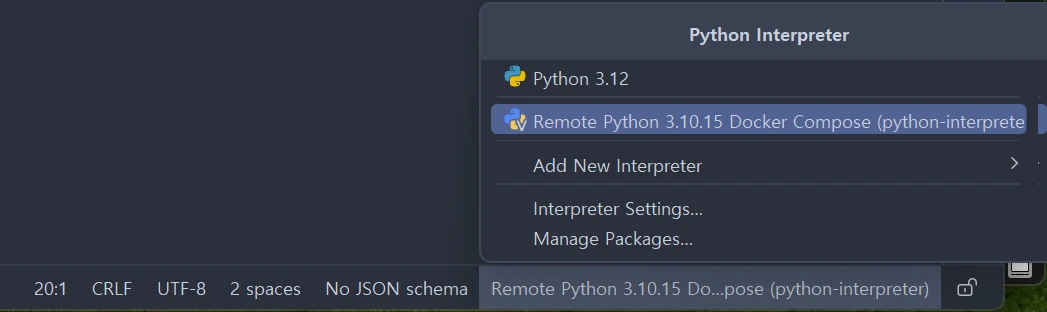 Be sure to go to
Python Interpreter and select Remote Python one more time, then rerun it.