
When an API call returns a 401 error while implementing subscriptions on Android
https://sobob.tistory.com/51 https://stackoverflow.com/questions/43536904/google-play-developer-api-the-current-user-has-insufficient-permissions-to-pe/60691844
GGAMI
https://sobob.tistory.com/51 https://stackoverflow.com/questions/43536904/google-play-developer-api-the-current-user-has-insufficient-permissions-to-pe/60691844
When implementing subscriptions on Android, after issuing and registering a token and then processing a purchase,
an API call may return a 401 error.
I wasted a good 4–5 hours on this before searching and finally finding the answer...
In subscription management, simply change 상품 가격.
It looks like the Play Store caches this...
As you can see on Stack Overflow, this is more serious than you'd think... 😭
And the steps from making the API call through setting up Pub/Sub are as follows.
payment@app.iam.gserviceaccount.com재무 데이터, 주문, 취소 설문조사 응답보기, 주문 및 구독 관리)
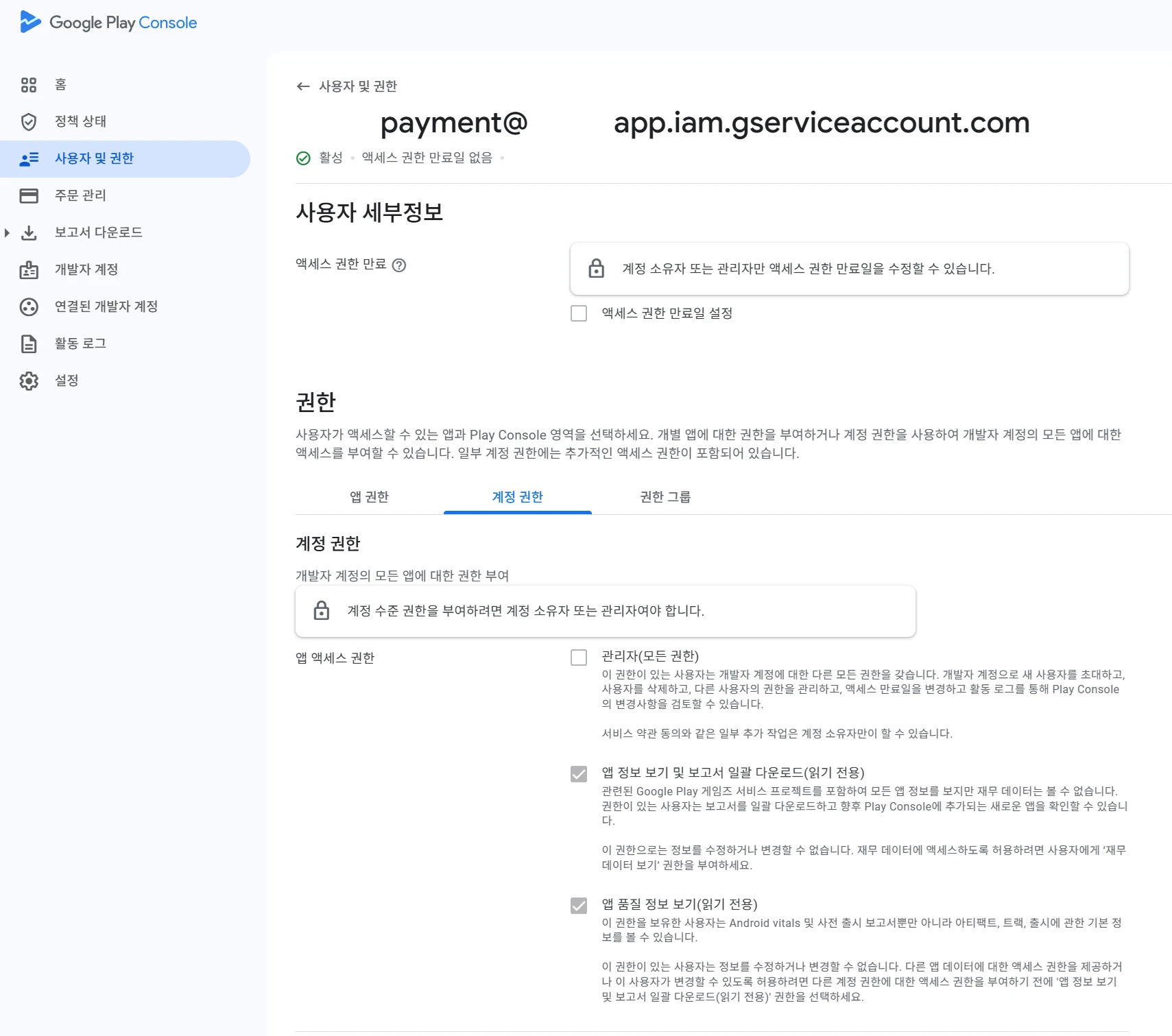
This lets you call the Google Store API using that IAM API token.
Pub/Sub notifications are usually received via push (not pull). Since this is an MSA, notifications are sent from Play Console to Google Pub/Sub and then pushed to my server endpoint. So you need to add all the necessary permissions and accounts.
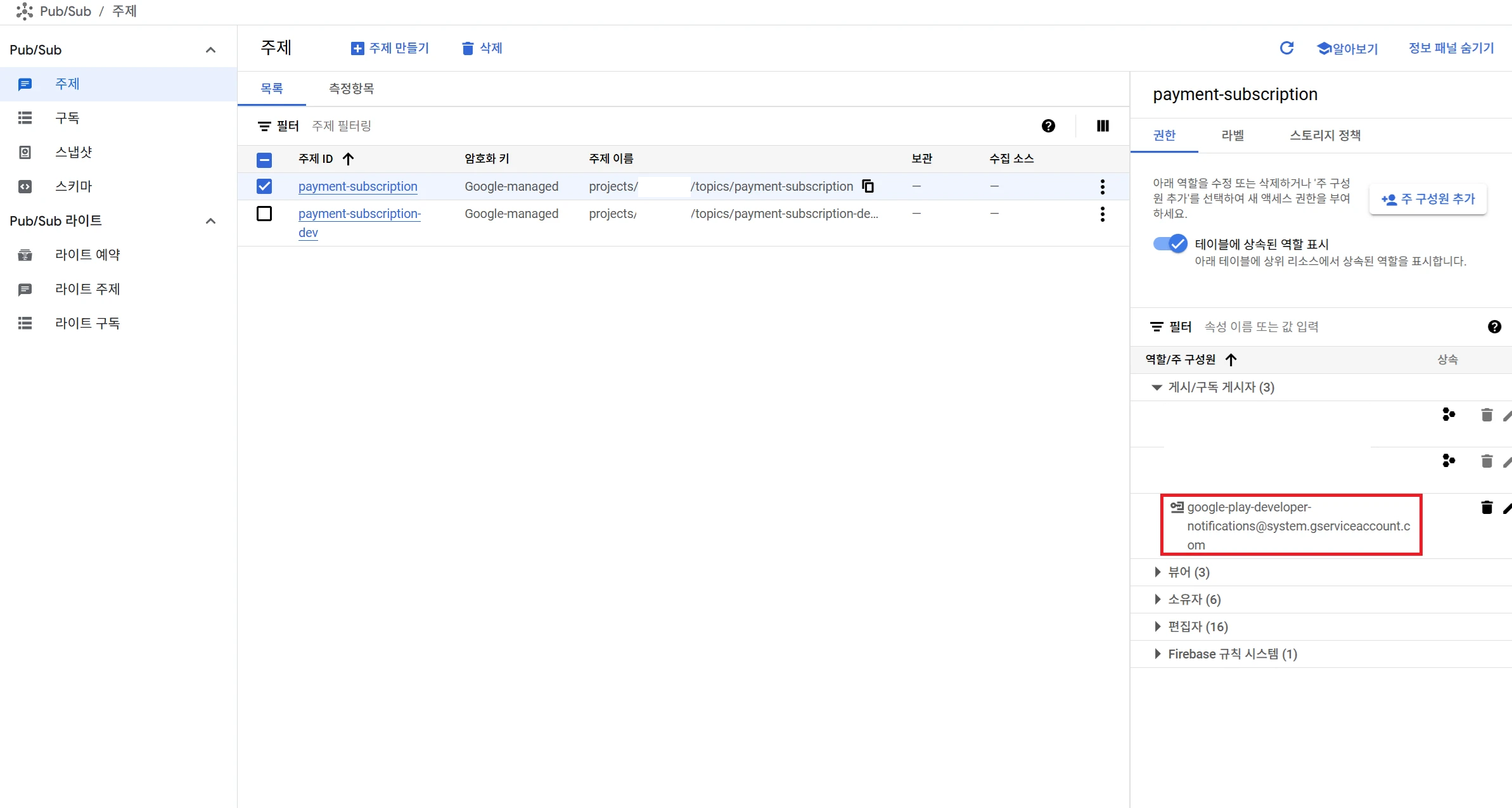
In Pub/Sub, this part is important: 주제 and 구독 채널 need to be added.
However, in the Pub/Sub 주제 topic permissions, assign the 게시/구독 게시자 role to google-play-developer-notifications@system.gserviceaccount.com as the Play Store's service account.
구독Under 구독 수정, select 푸시 and change the delivery method to
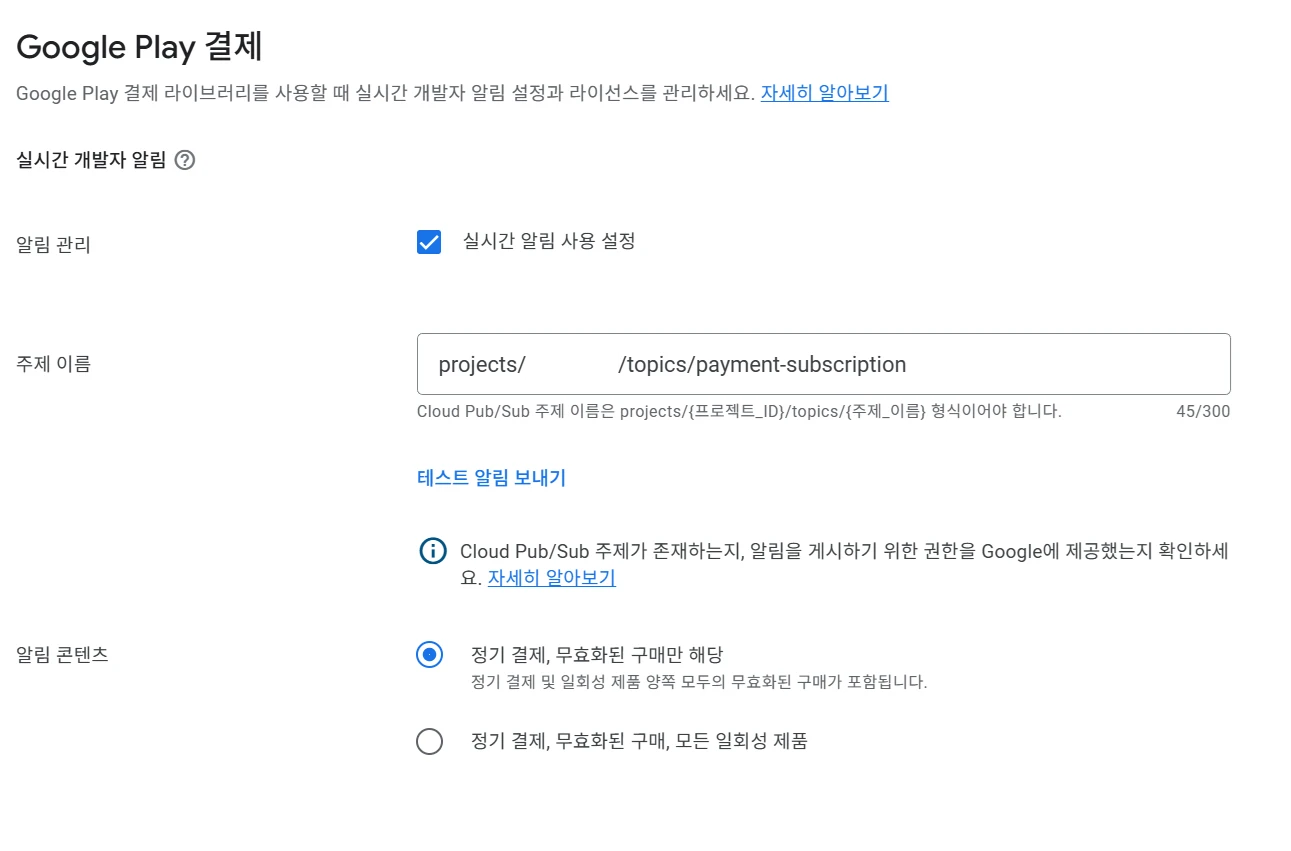
After that, under 앱, go to 수익 창출 설정 and use 테스트 알림 보내기 to test it.