
Setting Up Claude Code Permissions and MCP Tools
I initially used Claude Code with Pro, then used Max x5, and eventually started using Max x20. I’ve been using it effectively for development, but sometimes eve
GGAMI
I initially used Claude Code with Pro, then used Max x5, and eventually started using Max x20. I’ve been using it effectively for development, but sometimes eve
I initially used Claude Code with Pro, then used Max x5, and eventually started using Max x20. I’ve been using it effectively for development, but sometimes even pressing Enter starts to feel like a chore. Apparently, setting permissions can help with that.
cat ~/.claude/settings.json
code ~/.claude/settings.json
{
"permissions": {
"allow": [
"Bash(rg:*)",
"Bash(ls:*)",
"Bash(find:*)",
"Bash(grep:*)",
"Bash(sed:*)",
It’s a good idea to set the relevant commands in permissions.allow and permissions.deny so they’re handled automatically. (Only configure commands that pose no security risk.)
To use MCP tools, you need to connect an mcpServer.
cat ~/.claude.json
code ~/.claude.json
All Claude-related data is stored here. You can configure mcpServers for each project, but there’s also a way to configure them globally.
  "lastReleaseNotesSeen": "1.0.29",
  "mcpServers": {
    "context7": {
      "type": "sse",
      "url": "https://mcp.context7.com/sse"
    }
You can add the mcpServer entries like this right below lastReleaseNotesSeen.
This is how I currently use it. It seems like a good idea to keep adding useful servers to the mcpServer list and removing the ones you don’t need.
Another one I’m planning to try is https://github.com/oraios/serena.
It seems like this needs to be configured for each project. (I guess that’s because it can understand the project’s contents and has a memory feature.)
In the project folder where you’ll be using Claude,
claude mcp add serena -- uvx --from git+https://github.com/oraios/serena serena-mcp-server --context ide-assistant --project $(pwd)Enter the command above.
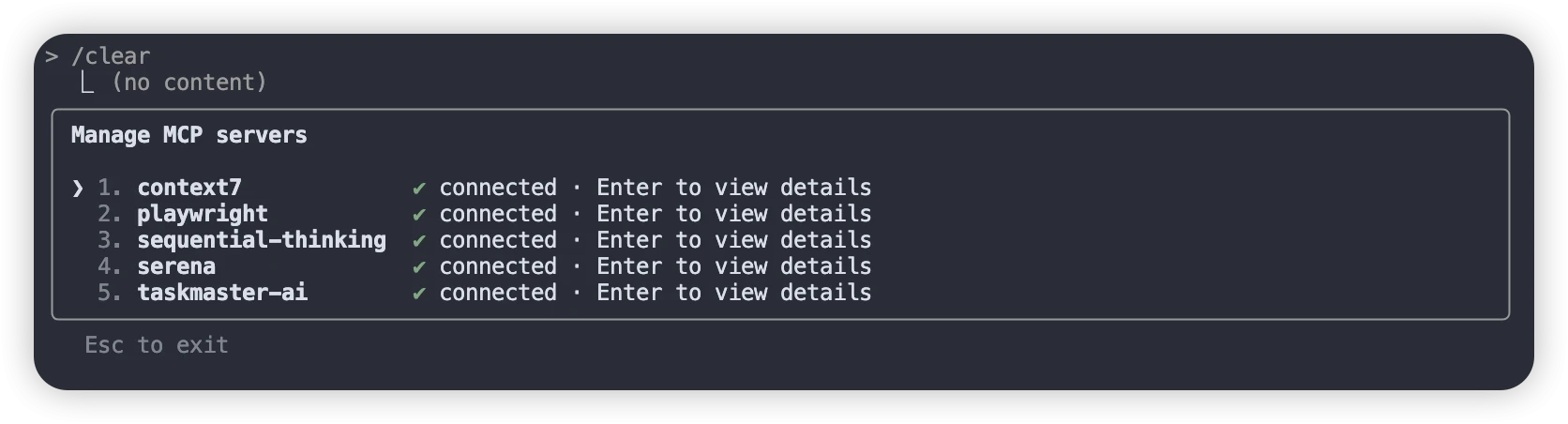 Next, when you enter the
/mcp command in Claude, the connected MCP servers will be displayed like this, and as you use an LLM, it will automatically use the tools.
code ~/.claude/CLAUDE.mdYou can edit that file. (It’s a global file.)