Design Patent Registration Rejected... How to Submit an Amendment
The design patent registration I applied for at the end of May last year was rejected.. No, I applied, and it took a whole six months... Anyway, the reason for
GGAMI·
The design patent registration I applied for at the end of May last year was rejected..
No, I applied, and it took a whole six months...
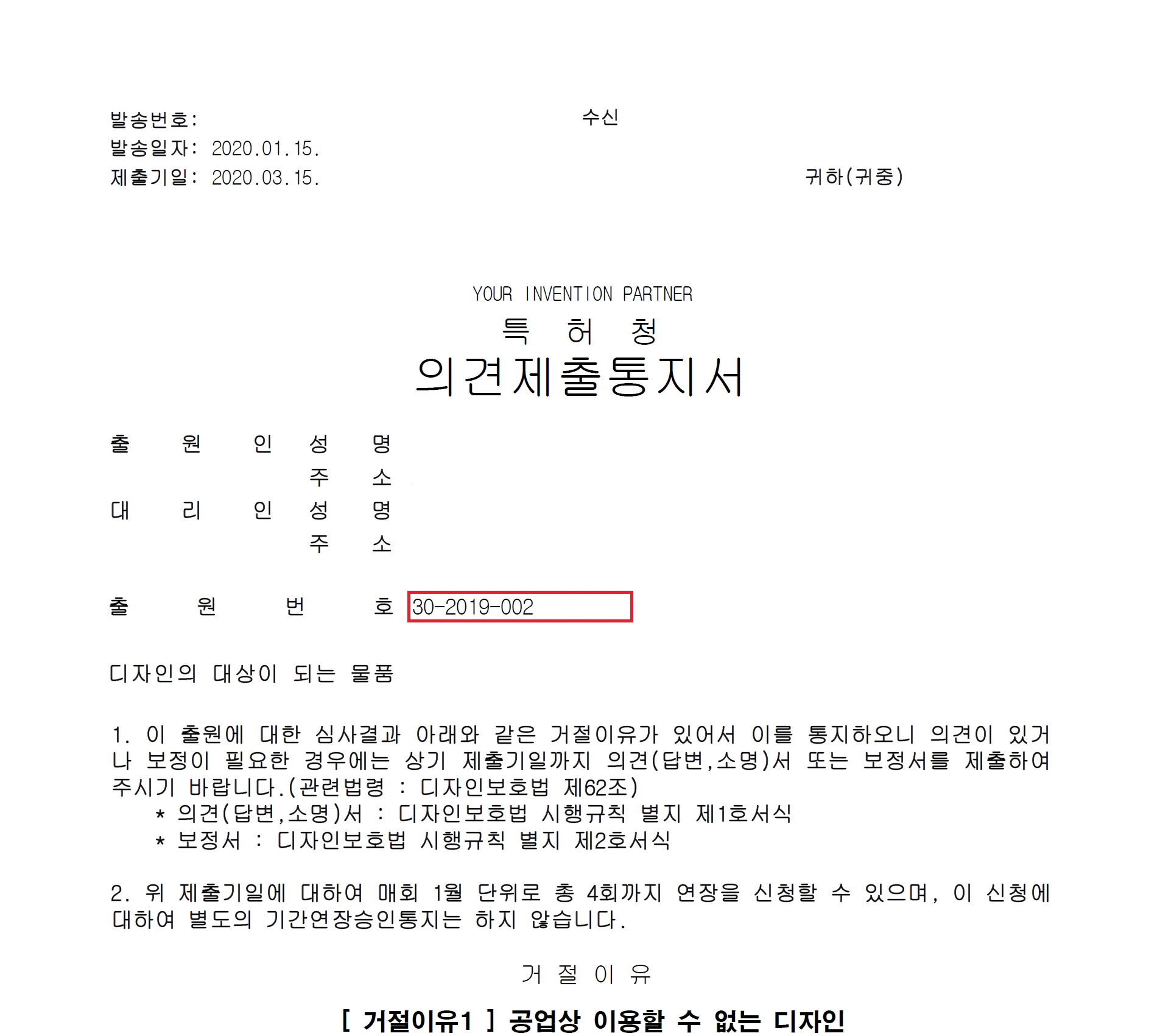
Anyway, the reason for the rejection came in a notice to submit an opinion,
and when I checked the notice, it was simple and not difficult to understand.
1. Design description unclear
2. The name of the article is not appropriate for the article classification
Those were the two reasons.
Since it was my first time registering a design, I found it a little confusing and difficult...
After it was rejected, I checked and realized that, for one thing, I had switched around the design description and the key points of the content of creation in the design description section, and that the material and other details in the design description were too abstract and emotional.
It seems that for design registration, you just need to write things simply and clearly.
So I carefully looked up examples of things I wanted to register on KIPRIS, then combined them to write mine. (I removed the logical and expressive parts, partly because I was uploading photos instead of drawings.)
But I had also gone through the format once over those six months,
and since there weren't any detailed instructions on how to submit an amendment(?), I worked it out by asking questions over the phone. (The patent-related consultants are all very kind overall; there are probably a lot of people who don't understand, but they're still really kind.)
Anyway, you need to prepare the amendment in the "Integrated Specification Writer,"
and if you already have the materials without having formatted them, you can load them through "Menu" - "Load Final Version,"
However, this is only possible if the final version file has been uploaded to that computer. Otherwise, you need to download the final version.
So, I'll start the instructions with downloading the final version.
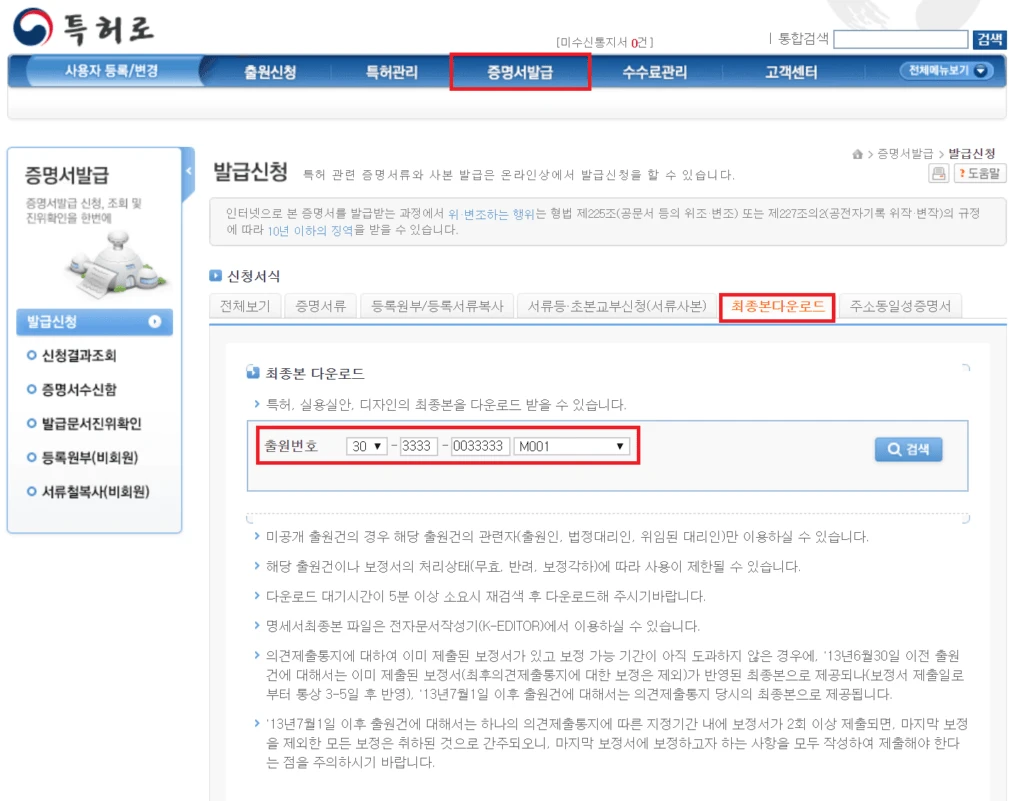
On Patent-ro, go to Certificate Issuance, then select Download Final Version.
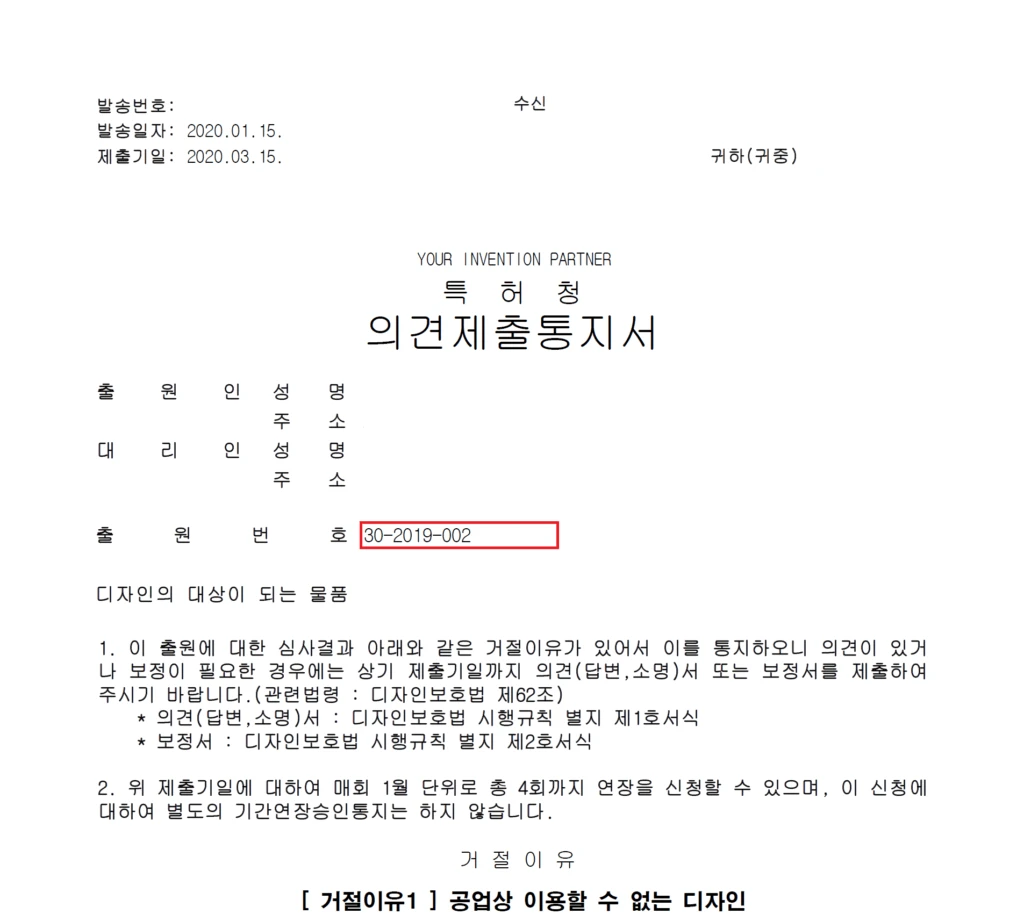
Then enter the application number, which is shown on the notice to submit an opinion.
After entering the application number, select M001 in the last input field.
Then search and download it. The file path is as follows.
(C:\KIPONET\NKEditor\Data\Fin)
Next, open the Korean Intellectual Property Office electronic document authoring software (Integrated Specification Writer), then load the final version you downloaded using Load Final Version.
Okay, this is where it starts. The "Design Drawings" content you see here is the document I submitted when I registered the design before. (The document that was rejected.)
Now, revise the contents here according to the notice to submit an opinion, then click "Create Amendment" in the main menu to create the amendment. The file extension is (.dta).
Okay, the amendment with the changes made to the final version has now been created.
Now I need to submit this amendment, so I'll open the "Form Writer."
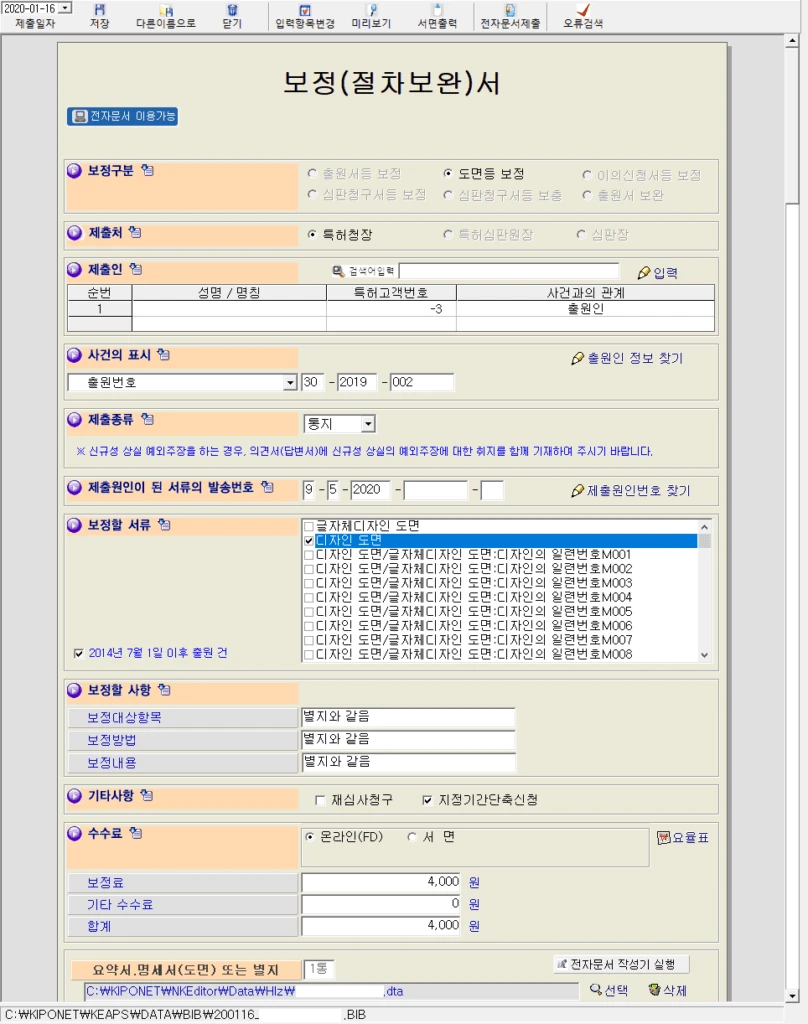
Here, create an Amendment (Procedural Supplement) Form by going to "Domestic Intermediate Forms" - "Design" - "Amendment (Procedural Supplement) Form" - "Correction of Drawings, etc." - "Application (Design) Procedure" - [Create Form].
After creating it, a section for selecting the amendment will appear. Click the amendment you created earlier.
Here, select the submitter, enter the application number, and enter the receipt number of the document that prompted the submission,
then select [Design Drawings] as the document to be amended, submit it through [Submit Electronic Document], and make the payment.
They say that if you select the application to shorten the designated period, the examination will be expedited a little, but you won't be able to submit any further supplementary documents. (You can only submit them on the same day.)
So, if you've prepared the documents so thoroughly that you can't afford to get sent back again, I think it's fine to select that option.
That's all you need to do.
Then submit the documents and wait..
Okay... One more thing I'd like to add here is...
At first, I applied thinking it would take 3–4 months, but when I checked by phone,
I can't say for certain, but here's roughly what I was told.
When you submit the documents under the standard procedure and pay, it typically takes 56 months.
When you submit the documents under the special procedure (request to shorten the designated period [an additional * ten-thousand won added to the payment]), it typically takes 23 months, they say.
If this gets approved, I plan to submit several other designs all at once using this same content, and in that case, I will definitely apply to shorten the designated period.