Just... I woke up in the middle, so I finished the rest of the work... and decided to write this post.. For the first time, I updated my server machine using th
GGAMI·
Just... I woke up in the middle, so I finished the rest of the work... and decided to write this post..
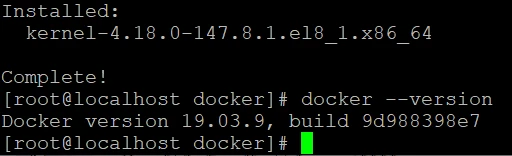
For the first time, I updated my server machine using the dnf upgrade command,
and it went really well...
I'm running all my services with Docker in a CentOS 8 environment...
The Docker version had been upgraded too... heh heh...
I didn't know much about Docker, but even with docker-compose on the same network, if a container is named php-fpm, you can communicate over that network by pinging php-fpm...
But the problem here was that I had nginx pointed at php-fpm, but there were duplicate container names, so the connection would alternate between them... (Does traefi do that automatically when scaling? Hmm.)
Anyway, to solve this problem... I had to either change the container names in compose, or set aliases and have nginx.conf connect using the aliases value...
I'm not sure which is the right answer, but... adding the project name after the container name would make the container names too long, and I thought it would be inconvenient to have to enter the whole container_name_project every time I scaled.
So I added an aliases value to that container's network and set it up so nginx.conf would connect using the aliases value.
Of course, I tested scaling too, and it connected fine whether I used the container name or the aliases value. (Meaning there weren't any major problems.)
But... the big issue... I realized while working on this... there are some things in php-fpm that run the scheduler or the queue server...
If I scale that php-fpm, there will be multiple schedulers and multiple queue servers...
So... if there are servers that need to be scaled, I thought I might have to move the scheduler or queue server into separate containers on those servers... Hmm... what a hassle...
Anyway. This was the first time I updated packages on the server machine, and I also did some work to change the Docker Compose configuration overall.
While doing all that... I rebooted the server machine too!! For the first time ever!!
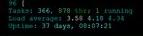
Like an idiot, I hadn't taken a photo... This is an old photo, but before shutting it down the uptime showed 49 days... It was the first time I'd rebooted the computer in 49 days. (There was a ton of dust in the Fractal case... it looks like it needs cleaning ㅠㅠ) After my experience with a bogus power supply, I was really scared... but thankfully it seems to be working fine without any problems.
Now that I've finished moving everything from the old server to the new one... I'll format the old server, tidy it up, and sell it on Joonggonara...