
Registering with Bing Webmaster Tools for Search
I also registered with Naver Webmaster Tools... So, the only one left is Bing. From here on, let's take a look at how to register with Bing Webmaster Tools for
GGAMI
I also registered with Naver Webmaster Tools... So, the only one left is Bing. From here on, let's take a look at how to register with Bing Webmaster Tools for
I also registered with Naver Webmaster Tools...
So, the only one left is Bing.
From here on, let's take a look at how to register with Bing Webmaster Tools for search.
https://www.bing.com/webmasters/
Simply log in. I logged in with my Microsoft account...
Wait, what is this~? It says that if you're registered with Google Search Console, you can import everything directly!
So I imported all the information registered in Google Search Console.
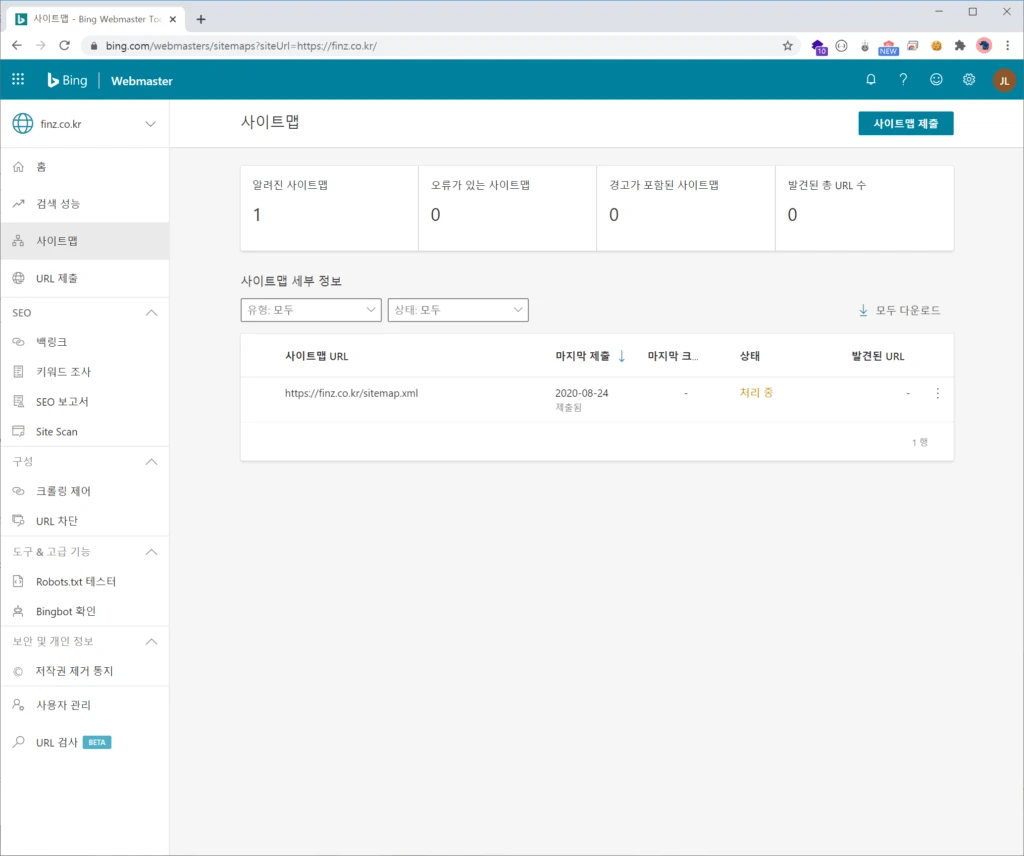
But this was easy enough to do, too.
On the sitemap page, you just need to enter the URL of the RSS feed or sitemap.
There are backlinks, crawl controls, and so on, but I still don't really know much about them...
But once you register your site address with Bing and submit your sitemap, it's pretty much all done...
Let's check back after some time has passed.
Registering with search engines is very important, because it's like telling the bots, “Come to my homepage and collect data!” So be sure to register.