
oracle cloud arm64 ubuntu 24.04 redroid install
Oracle Cloud에서 ARM64 Ubuntu 24.04에 Redroid를 설치하는 방법을 소개합니다. 간단한 단계로 에뮬레이터를 실행하고 ADB 연결을 확인해보세요.
GGAMI
Oracle Cloud에서 ARM64 Ubuntu 24.04에 Redroid를 설치하는 방법을 소개합니다. 간단한 단계로 에뮬레이터를 실행하고 ADB 연결을 확인해보세요.
목차
oracle cloud 에서는 arm64 서버를 쉽게 생성할 수 있다.
ubuntu 24.04 arm64 를 생성하여, redroid 를 install 하는 방법을 설명한다. (https://github.com/remote-android/redroid-doc)
apt update
apt-get install -y apt-transport-https ca-certificates
docker run -d --restart unless-stopped -p 80:80 traefik/whoamicat /etc/os-release
PRETTY_NAME="Ubuntu 24.04.1 LTS"
NAME="Ubuntu"
VERSION_ID="24.04"
VERSION="24.04.1 LTS (Noble Numbat)"
VERSION_CODENAME=noble
ID=ubuntu
ID_LIKE=debian
HOME_URL="https://www.ubuntu.com/"
SUPPORT_URL="https://help.ubuntu.com/"
BUG_REPORT_URL="https://bugs.launchpad.net/ubuntu/"
PRIVACY_POLICY_URL="https://www.ubuntu.com/legal/terms-and-policies/privacy-policy"
UBUNTU_CODENAME=noble
LOGO=ubuntu-logoapt install adbmkdir -p /dev/binderfs
mount -t binder binder /dev/binderfs
ls -l /dev/binderfsapt install linux-modules-extra-`uname -r`
modprobe binder_linux devices="binder,hwbinder,vndbinder"
modprobe ashmem_linux
(error => modprobe: FATAL: Module ashmem_linux not found in directory /lib/modules/6.8.0-1012-oracle)
https://github.com/remote-android/redroid-doc/issues/647modprobe ashmem_linux 는 활성화가 안될 것이다. 커널 5.18부터 제거되었다고 한다. 그리고 ashmem_linux 모듈의 경우 선택사항이라고 한다.
docker run -itd --rm --privileged \
    --pull always \
    -v ~/redroid/data-v15:/data \
    -p 5555:5555 \
redroid/redroid:15.0.0-latestadb devices
List of devices attached
emulator-5554 device
localhost:5555 deviceadb connect localhost:5555
adb -s localhost:5555 shell getprop ro.product.cpu.abi
arm64-v8aadb connect 10.10.10.10:5555
scrcpy -s 10.10.10.10:5555이렇게 하게되면, 설치가 완료되고 도커 이미지로 뜬 redroid 에뮬레이터를 확인 할 수 있다.
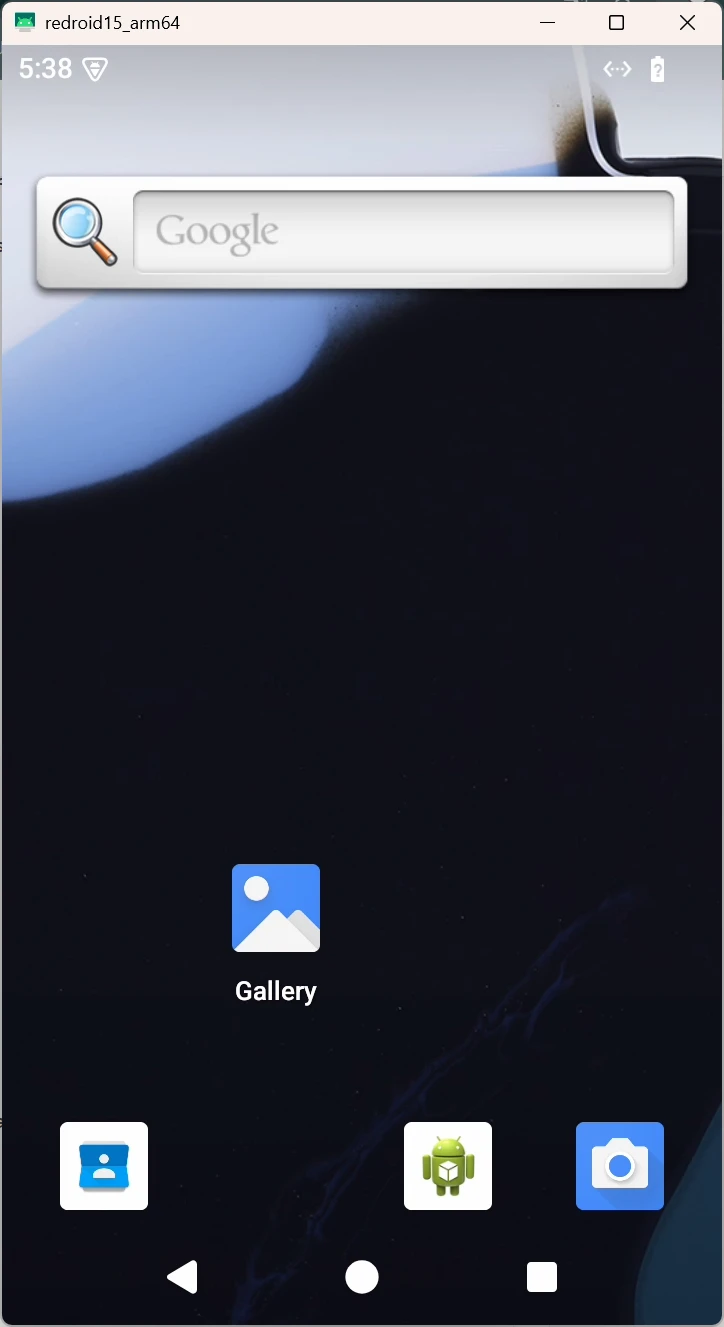
나중에 adb 관련된 명령어를 모두 작성해볼까 한다.
dmesg | grep binder혹시... binder_linux, android가 제대로 붙었는지 체크해보려면 해당 명령어로 로그를 볼 수 있다.